
How to Build a Prompt Tracking Workflow (Free Template)
A step-by-step prompt tracking workflow for agencies: find the right questions, build a prompt matrix, set a stable baseline and turn gaps into content.
workflow
On a recent call, a strategist at a media and tourism agency told us something we hear in almost every demo:
“Sometimes we don’t know what we don’t know. We don’t know what prompts people are making.”
Their client wanted to attract international visitors. The agency could see how to plug prompts into a tracking tool. What they couldn’t see was which prompts were worth tracking in the first place.
That’s the real problem with prompt tracking. Most guides jump straight to dashboards and scores. But a dashboard is only as useful as the questions behind it. Track the wrong ones and you’ll get clean charts that tell you nothing.
This guide walks through the workflow we use with agencies. By the end, you’ll have:
- a way to find questions backed by real evidence
- a prompt matrix you can reuse for every client
- a stable baseline you can compare month to month
- a simple way to turn gaps into content, FAQs or outreach
What is prompt tracking?
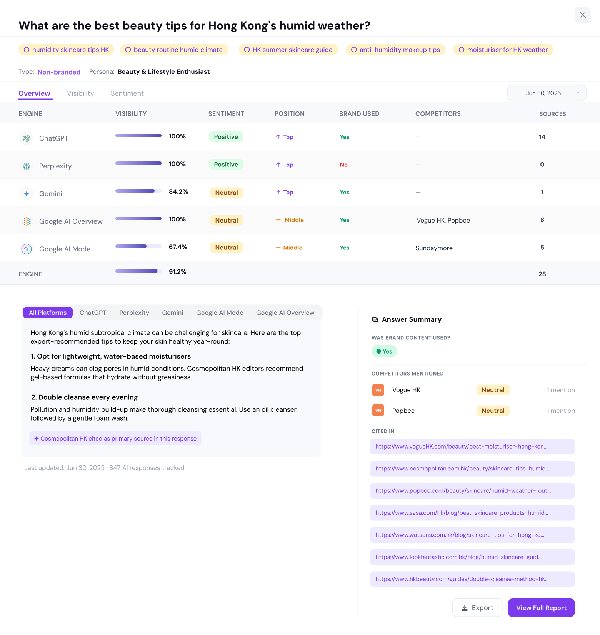
Prompt tracking is the practice of running a documented set of questions through AI engines on a regular schedule and recording what comes back. For each question, you note whether your brand is mentioned, which URLs are cited, which competitors appear, and how the answer describes you.
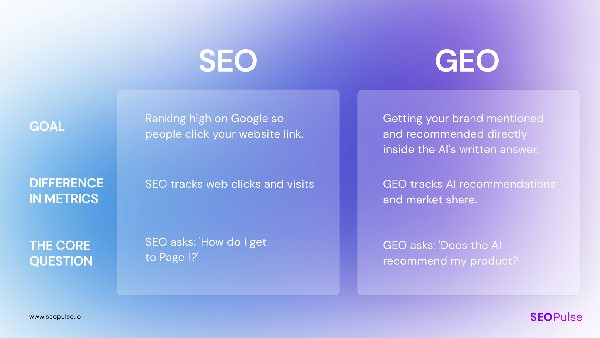
It’s the AI search version of rank tracking. But instead of checking where a keyword ranks, you’re checking how an AI engine answers a buyer’s question.
What prompt tracking can and can’t tell you
It’s worth being clear about this up front, especially if you’ll be reporting to clients.
| Prompt tracking can tell you | Prompt tracking can’t tell you |
|---|---|
| How AI engines answer the questions you chose | Every question real users are asking |
| Whether your brand is mentioned or cited | How many people asked each question |
| Which of your pages (and competitors’ pages) get cited | Exactly how a specific user’s answer looked |
| How answers change over time, by engine and market | Revenue from AI answers on its own |
Your prompt set is a sample. A good sample, built carefully, tells you a lot. But it’s still a sample, so document how you built it.
What to record for every answer
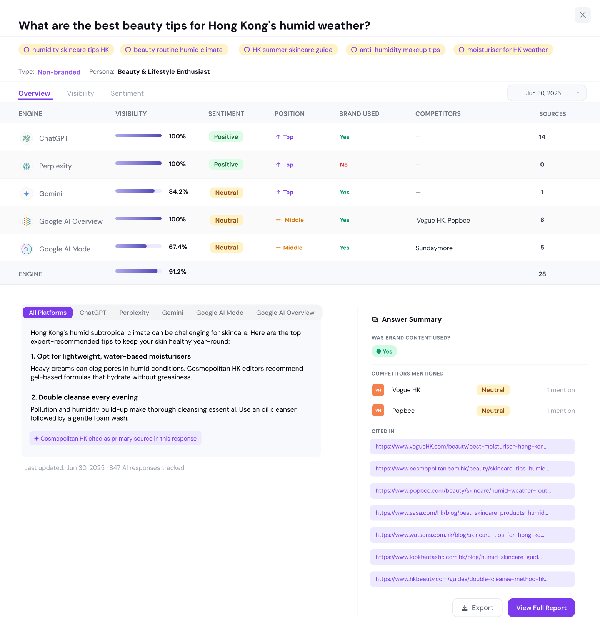
Every observation should note the conditions it was collected under. Otherwise you can’t compare results fairly later.
- Engine: ChatGPT, Gemini, Perplexity, Google AI Overviews, Google AI Mode
- Market and language: for example, Hong Kong in English, or Taiwan in Traditional Chinese
- Exact question: word for word
- Date collected
- Brand mention: yes or no
- Cited URLs: yours and everyone else’s
Why separate mentions from citations? In our August 2026 benchmark of 6,811 AI answers across five engines:
- 53.4% mentioned a tracked brand
- 34.2% cited that brand’s website
- Only 10.0% did both
Being named and being linked are two different wins. Track them separately.
The prompt tracking workflow at a glance
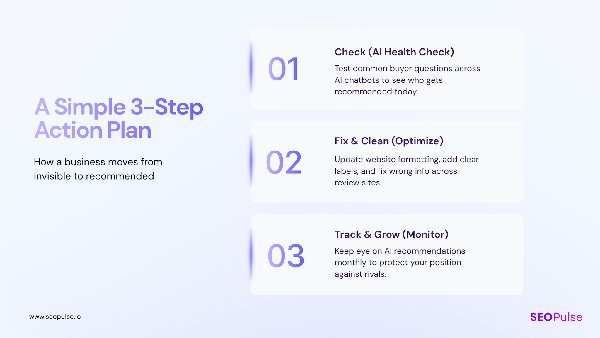
- 1Collect questions from real customer and search evidence
- 2Choose high-intent questions and record where each came from
- 3Build your prompt matrix by category, intent, market and persona
- 4Set your engines and markets, then run a baseline
- 5Lock a stable core and log every change
- 6Review the answers and turn gaps into work
Let’s go through each one.
Step 1: How do you find which prompts to track?
Start with questions your customers already ask, then use search data to confirm and expand them. Customer inquiries, sales calls, FAQs, Google Search Console and People Also Ask all give you questions backed by real behavior. AI-generated question ideas are useful too, but treat them as guesses until you have evidence.
If you know a business well, you probably already know most of the questions its buyers ask. The job is to collect them in one place and label where each one came from.
Where to find prompt ideas
| Source | What it gives you | How strong is the evidence? |
|---|---|---|
| Sales calls and customer inquiries | The exact words buyers use before they buy | Strong. These are real questions from real buyers. |
| Customer service tickets and FAQs | Recurring questions and objections | Strong. FAQs exist because customers keep asking. |
| Google Search Console | The queries already bringing people to the site | Strong for search. Shows real queries with impressions. |
| People Also Ask (PAA) | Related questions Google shows for a keyword | Good. They appear because people search for them. |
| Forums and communities | How people describe problems in their own words | Good for wording. Check it’s relevant to your market. |
| AI query fan-out | Sub-questions an AI engine generates to build its answer | Weak as demand evidence. Useful for content ideas (see Step 6). |
| Licensed prompt data | Panels of anonymized real AI prompts | Potentially strong, but expensive and not always available |
Label the source of every question
This is the habit that makes the rest of the workflow work. A question from a sales call, a Search Console query and an idea you brainstormed are not equal. When a client asks “why are we tracking this?”, you want an answer.
Add a source column to every question. Something as simple as Sales call, GSC, PAA, FAQ, Forum or Analyst idea is enough.
How to use Google Search Console for prompt ideas
Search Console is one of the best places to start, because it shows the queries that already bring people to your site.
- 1Open the Performance report and set the date range to the last 12 to 16 months.
- 2Filter queries for question words. A regex filter like ^(how|what|which|why|best|is|can|should)\b works well.
- 3Look for longer queries. Long, conversational queries often look a lot like AI prompts.
- 4Shortlist the ones that match a service or product the client actually sells.
A note on Search Console’s AI reports: In June 2026 Google began rolling out generative AI performance reports in Search Console. They show impressions, pages, countries and devices for AI Overviews and AI Mode. They don’t show the prompts or queries that triggered those impressions, and they’re only available to some sites so far. So use them to see which pages appear in AI features. Use the regular Performance report to find questions.
Step 2: How do you choose high-intent questions from PAA and Search Console?
Keep the questions that connect to a real buying decision, merge wording variants, and drop anything navigational. For each question, ask what the buyer is trying to decide and which of the client’s offers it relates to. If you can’t answer both, it probably doesn’t belong in your core set.
You’ll likely end up with hundreds of candidate questions. Here’s how to shortlist.
Ask three questions about every prompt

- 1What decision is the buyer making? Comparing options, checking price, understanding a problem, choosing a provider?
- 2Which offer does it connect to? If it doesn’t relate to something the client sells, it’s research, not tracking.
- 3Would someone in this market really ask it? A question that makes sense in the US may not in Singapore or Taiwan.
Merge variants that share the same need
PAA and Search Console often give you five versions of the same question. Pick the clearest one and note the others as variants.
| Variants you found | Keep as one prompt |
|---|---|
| “how to track prompts in chatgpt” · “chatgpt prompt tracking” · “track brand in chatgpt answers” | How do I track whether ChatGPT mentions my brand? |
| “best ai visibility tool for agencies” · “ai seo tool for agency clients” | What’s the best AI visibility tool for agencies managing several clients? |
What to drop
- Navigational queries like “[brand] login” or “[brand] pricing page”
- Questions you forced to include a keyword that no buyer would say that way
- Questions with no link to an offer, unless you’re deliberately tracking awareness
Keep a few discovery questions too
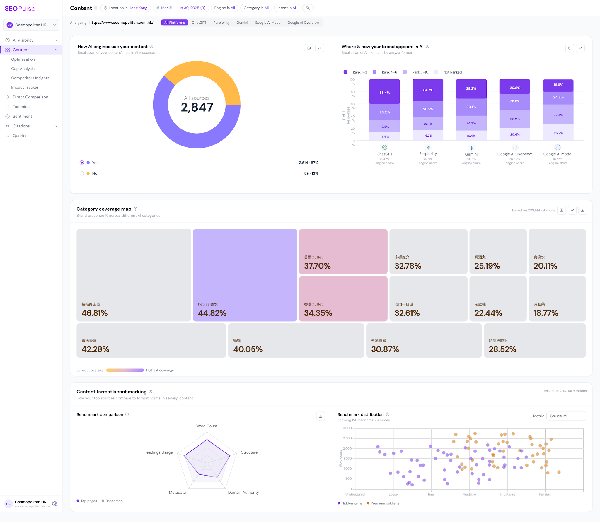
Don’t make your set 100% commercial. Early research questions (“What is GEO?”, “How do AI engines choose sources?”) show whether you’re part of the conversation before a buyer has a shortlist. A healthy mix covers the whole buyer journey.
Step 3: How do you build a prompt matrix?
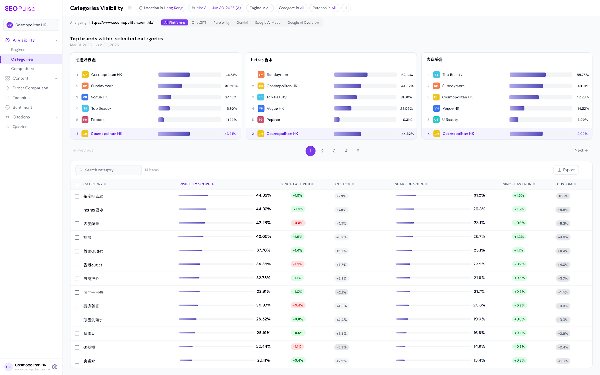
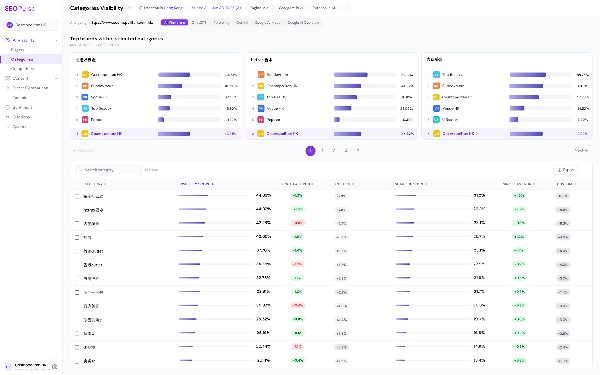
A prompt matrix is a table that organizes your questions by topic, buyer intent, market and persona, so you can see coverage and gaps at a glance. Instead of a loose list of questions, every prompt sits in a labeled row. That lets you filter results by category, compare markets, and spot where you’re strong and where you’re missing.
Start with a simple grid
Cross your client’s main topics or products with the buyer’s intent.
| Intent | Product or topic A | Product or topic B |
|---|---|---|
| Informational | “How does [X] work?” | “What are the benefits of [Y]?” |
| Comparative | “[Brand] vs [competitor] for small teams” | “Best [category] providers in [market]” |
| Problem-solving | “How do I fix [problem] with [X]?” | “How to automate [process]” |
| Transactional | “Is [brand] worth the price?” | “How much does [service] cost in [market]?” |
Add qualifiers for real-world context

Real buyers add context to their questions. Adding the same context to your prompts shows you how AI engines answer specific buyers, not just generic ones.
- Persona: “…for a marketing manager”, “…for a solo founder”
- Constraint: “…under $50 a month”, “…that works with Shopify”
- Market: “…in Hong Kong”, “…available in the EU”
Only add a market qualifier when the answer would really change by market. Don’t copy every question ten times with a different country name.
Prompt matrix template
Copy the matrix fields below into your own spreadsheet and add your client’s buyer questions to build your first prompt set. Keep the Prompt, Category and Intent columns: they’re the format SEOPulse’s bulk upload takes (up to 500 prompts at once, .xlsx or .csv).
Here are the fields we recommend. The first set describes the question. The second records what you observed.
About the question
| Field | Example |
|---|---|
| Prompt ID | P-014 |
| Exact question | How do I validate prompt demand using Google Search Console and customer inquiries? |
| Buyer task | Choosing which prompts to track for a client |
| Category | Prompt tracking |
| Intent | Informational |
| Persona | Agency strategist |
| Evidence source | GSC + sales call |
| Market | Singapore |
| Language | English |
| Engines | ChatGPT, Gemini, Perplexity, AI Overviews, AI Mode |
| Status | Core |
What you observed
| Field | Example |
|---|---|
| Date collected | 2026-10-01 |
| Engine | Perplexity |
| Brand mentioned? | No |
| Your cited URL | None |
| Top competing source | competitor.com/blog/prompt-tracking |
| Next action | New FAQ on existing guide |
A worked example: tourism
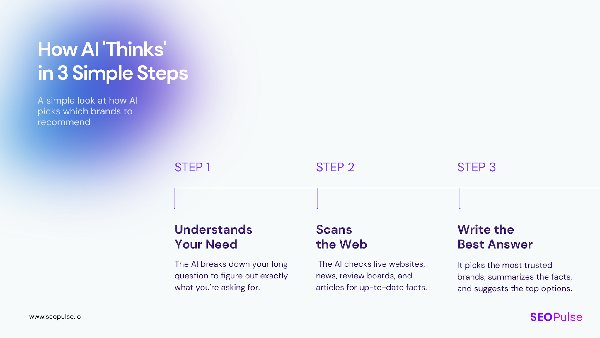
Here’s how the same approach looks for the tourism agency from the start of this article. Their client wanted to reach international visitors. Their questions were: “What markets are they coming from?” and “What kind of terms, what kind of citations are they looking at in their planning?”
For tourism, organize the matrix around the traveler’s decision and their origin market.
| Category | Intent | Example prompt | Market tracked |
|---|---|---|---|
| Destination planning | Informational | What are the best things to do in Hong Kong for a weekend trip? | Singapore, Australia |
| Events and experiences | Comparative | What are the most unique sporting events to see in Asia this year? | UK, Australia |
| Practical planning | Problem-solving | How do I get tickets to a horse race in Hong Kong as a tourist? | Mainland China, Japan |
| Booking | Transactional | Is it worth paying for a premium race-day package in Hong Kong? | Singapore |
Illustrative example. Prompts are written for this guide, not taken from a client’s live matrix.
For B2B software, you’d organize differently: by evaluation stage, constraints (budget, integrations, security) and implementation questions.
How should you handle overlapping categories?
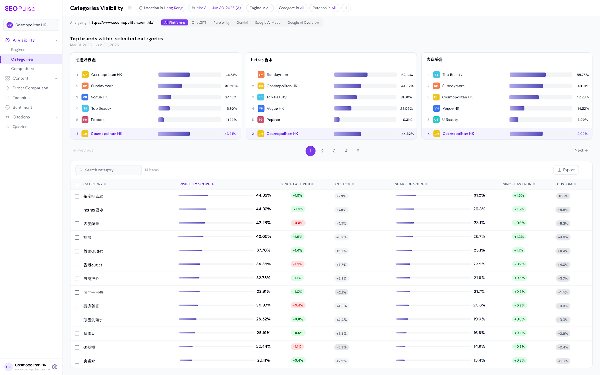
Create a category dictionary that lists each category once, with its aliases, so the same topic isn’t split across two labels.
An influencer marketing agency we work with ran into this. Their matrix had “Xiaohongshu” and “Little Red Book” as separate categories. As they pointed out, “essentially they are the same thing.” Splitting them halved the data for each and made the results harder to read.
The fix is simple:
| Category | Aliases | Notes |
|---|---|---|
| Xiaohongshu | Little Red Book, RED, 小红书 | One category. Keep alias spellings in prompts if buyers in that market use them. |
| Influencer marketing | KOL marketing, creator marketing | Split into nano, micro and lifestyle sub-categories only if you’ll report on them separately. |
Why category averages matter more than overall averages
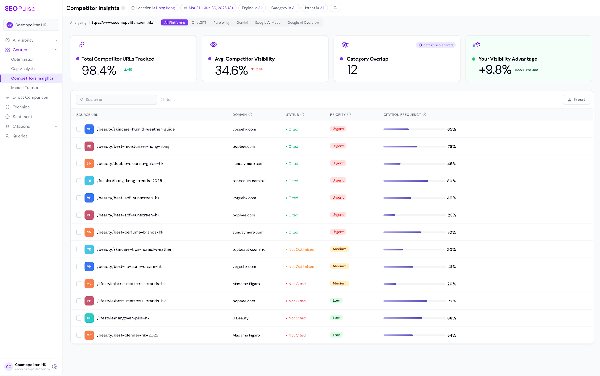
The same agency was visible in about 11% of AI answers overall. That number looked unremarkable. But when they filtered by category, a different story appeared. They were strong on one broad “top agency” question and completely absent from the more specific nano, micro and lifestyle influencer questions.
As they put it: “The overall average doesn’t mean much, but the category average is more meaningful.”
That’s why categories matter. One overall score hides where to act. Category scores show you.
Step 4: How do you set engines and markets, and run a baseline?
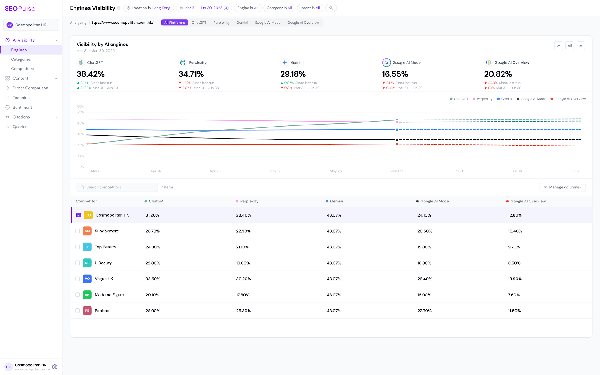
Choose the engines your client’s buyers actually use, list each market and language separately, then run your full prompt set once to create a baseline. That baseline is your starting point. Every future result gets compared against it.
Pick engines on purpose
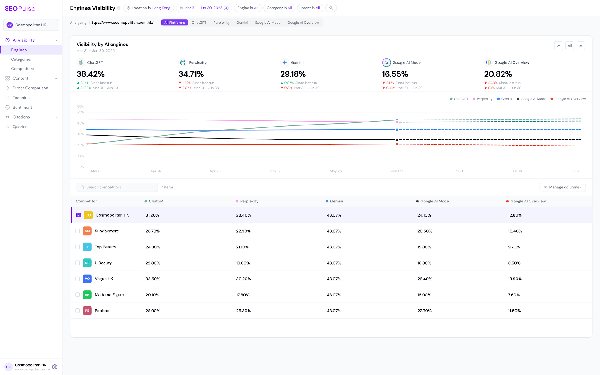
AI engines rarely agree with each other. In our benchmark, the five engines picked the same top vendor just 1.5% of the time. They also trust different sources. In our October 2026 research, Google AI Overviews leaned on LinkedIn and YouTube, while ChatGPT favored technical documentation.
So good visibility in one engine tells you little about the others. Track each one separately, and treat Google AI Overviews and Google AI Mode as two different engines.
Treat each market and language as its own track

AI answers change with location and language. A prompt in English for Singapore and the same prompt in Traditional Chinese for Taiwan are two different observations. Record them separately and compare like with like.
Run the baseline
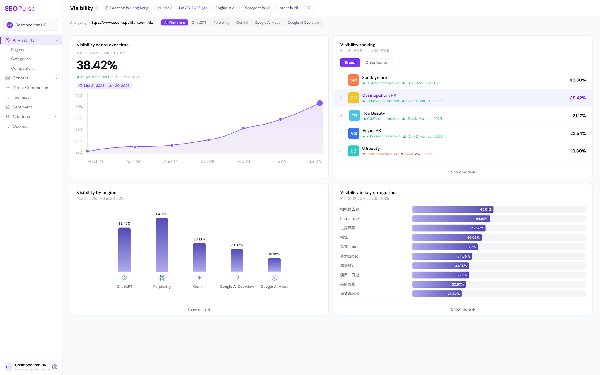
Run every prompt in your core set across every engine and market you’ve chosen. Before you look at any scores, open a sample of the actual answers. Check that:
- the prompts make sense and return relevant answers
- the right competitors are showing up
- your categories are labeled consistently
If something’s off, fix it now. It’s much easier to adjust prompts before you start comparing results over time.
Step 5: How do you build a stable core set of prompts?
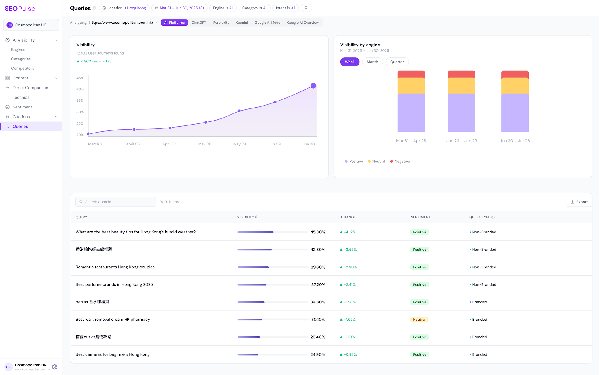
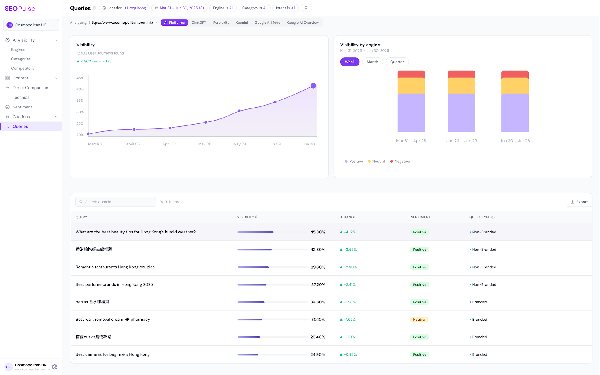
Split your prompts into a stable core that stays the same over time and an exploratory set you can change freely. Only compare core prompts month to month. When you do change the core, log the change so you don’t mistake a new prompt set for a real shift in visibility.
This is the step most teams skip, and it’s why so many AI visibility reports are hard to trust. If you add 20 new prompts in March and your share of voice drops, did your visibility fall, or did the questions change?
Core vs exploratory prompts
| Core prompts | Exploratory prompts | |
|---|---|---|
| Purpose | Measure change over time | Test new topics and markets |
| Changes | Rarely, and always logged | Freely |
| Reported to clients as a trend? | Yes | No, report separately |
| Typical source | Strong evidence: sales, GSC, PAA | Newer ideas, fan-out, analyst ideas |
Keep a change log
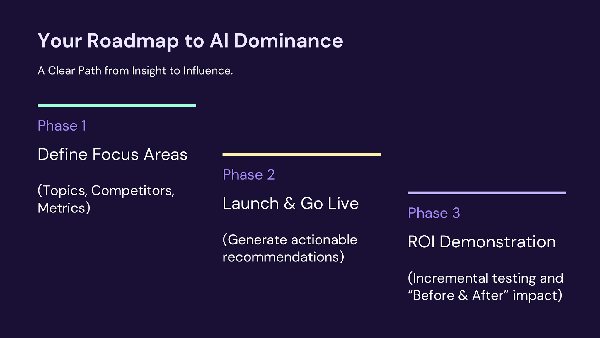
Every time you add, remove or reword a core prompt, add a line:
| Date | Prompt ID | Change | Reason |
|---|---|---|---|
| 2026-11-03 | P-022 | Removed | Client stopped offering this service |
| 2026-11-03 | P-031 | Added | Came up in three sales calls in October |
| 2026-12-01 | P-009 | Reworded | Merged with a variant from GSC |
When you report a trend, compare only the prompts that existed in both periods.
Step 6: How do you turn tracking results into content?
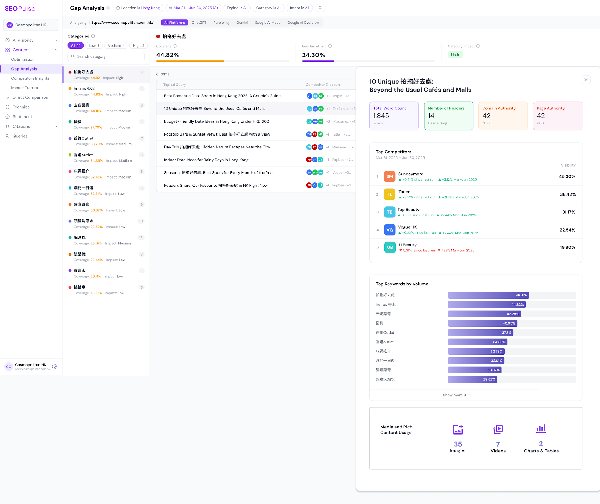
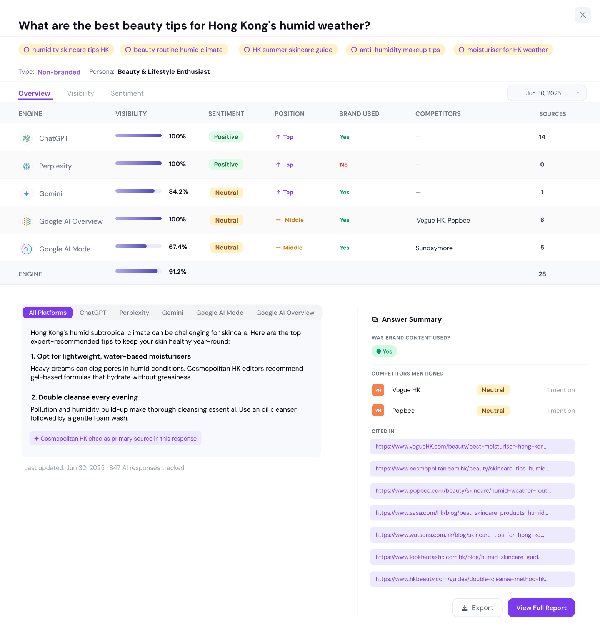
Look at the prompts where you’re missing, read the full AI answers, and decide what kind of action each gap needs: a new FAQ, a new section on an existing page, a new page, or outreach to a site that’s already cited. Tracking only pays off when it leads to specific work.
Start with the gaps, then read the answers
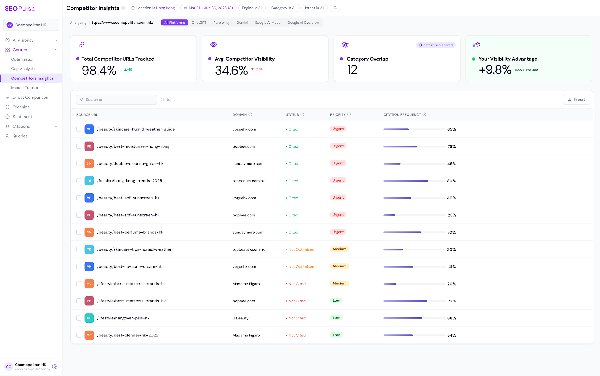
We usually start from the gap analysis, not the overall score. Find the prompts where competitors appear and you don’t. Group them by category. Then open the actual answers.
The answer shows you how the AI engine broke the topic into parts, what it chose to say, and which pages it pulled each part from. That’s your brief.
Before committing resources, check whether you have a realistic chance. If every cited page comes from a very high-authority site, that prompt may be a long-term goal rather than a quick win. In our October 2026 analysis of 9,779 citations, 34.2% went to pages with Domain Authority under 25 and fewer than five backlinks. Smaller sites can win, but not on every prompt.
Route each gap to the right kind of work
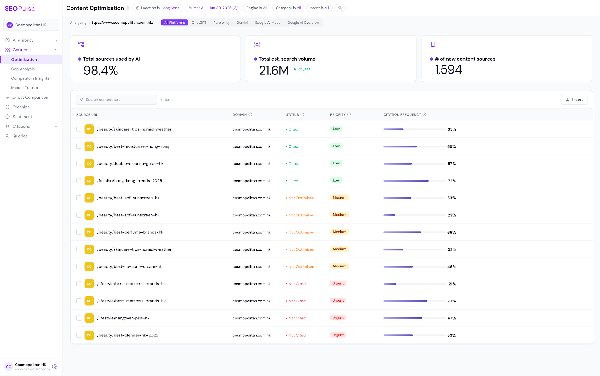
| What the gap looks like | Best action |
|---|---|
| A short, specific question related to a page you already have | Add an FAQ to that page |
| A sub-topic your page doesn’t cover | Add a new section to the existing page |
| A different buyer task altogether | Create a new page |
| AI keeps citing a third-party site (a directory, publisher, forum or review site) | Outreach, PR or a listing on that site |
Where query fan-out fits
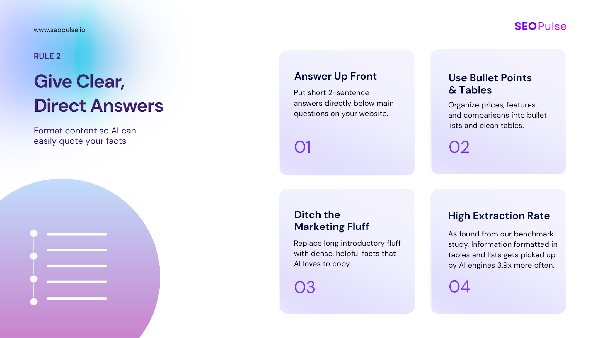
AI engines often break one prompt into several related searches to build their answer. This is called query fan-out. Tools can simulate it, and some agencies use those generated questions as prompts to track.
We use fan-out differently. Fan-out questions are an AI engine’s guesses about what it needs to research. There’s no search volume or customer evidence behind them. So we don’t treat them as proof of demand. We use them as content planning input: sub-topics a strong page should cover.
Google’s own guidance backs this up. It describes fan-out, but warns that creating separate pages for every possible query variation, mainly to influence AI answers, can count as scaled content abuse. Group related needs into one useful page. Don’t build a page for every wording.
How many prompts should you track?
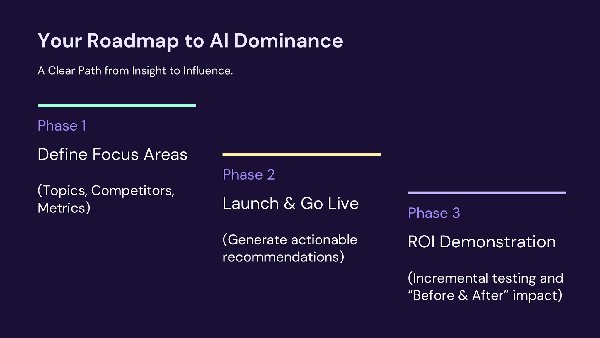
For a pitch or first project, 25 to 30 prompts on one product in one market is usually enough to show a clear picture. For ongoing tracking, the right number depends on how many categories, markets and engines you cover, and how much content you can actually produce in response. Track what you can influence.
The tourism agency asked us this directly: what’s a “good threshold” for analysis, and how many prompts do you need for “statistical power”?
There’s no universal number. But here’s how we think about it:
- For a pitch: pick one product, one market, and split prompts across early research and buying questions. 25 to 30 prompts is enough to show contrast and depth.
- For a focused campaign: cover every category you’ll report on with enough prompts to compare category averages. One prompt per category isn’t enough to say much. Agencies usually grow into this: Digital Zoo started with a pilot in August and had grown its tracked prompts about 5x across its clients by mid-October.
- For large brands: a brand with hundreds of pages and a strong content team might track a few hundred core prompts per market. A global brand across several markets can reach tens of thousands.
The key question is capacity. If a client has a small site and no content budget, tracking 2,000 prompts is wasted money. Focus on the prompts you can act on now, fix those, then move to the next set. Most clients will back a phased plan like that.
Whatever number you choose, write down what your set covers and what it leaves out.
How often should you review prompt tracking results?
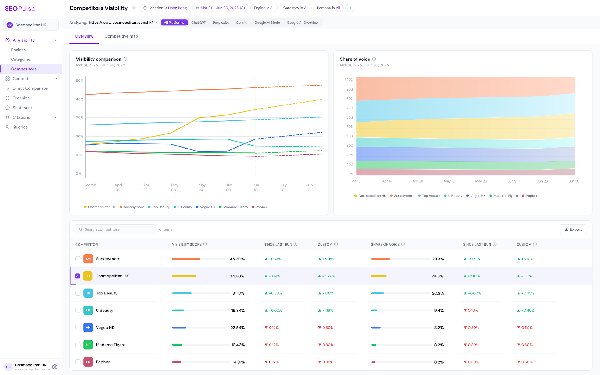
Collect data often, but review on a fixed cycle. Many tools now collect answers daily, which helps smooth out the day-to-day variation in AI answers. For most agencies, a monthly review of trends and gaps is a good rhythm, with deeper content analysis monthly or quarterly.
AI answers vary, even for the same prompt on the same day. Don’t react to a single result. Look for patterns across several collections, and always compare the same core prompts under the same conditions.
Example: from 0% to 7% visibility with a targeted prompt set
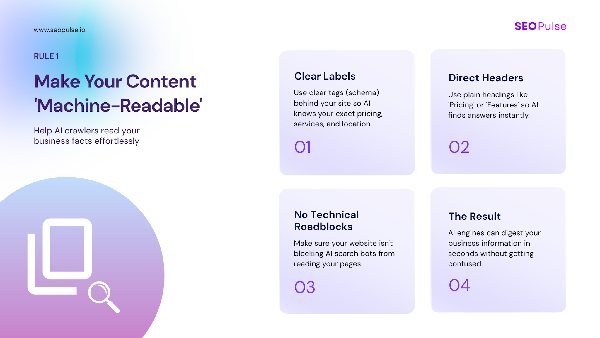
Tenfold AI is a legal technology brand targeting Taiwan in English and Traditional Chinese. When tracking started, their AI visibility was 0%, with an average AI engine rank of #50.
Here’s what happened:
- 1Technical fix. An audit found rendering issues that kept AI crawlers from reading the site. Once fixed, visibility moved to 1%.
- 2Targeted content. Gap analysis identified prompts where Tenfold had a realistic chance of being cited. The team created or updated 10 pages across both languages.
- 3Result. Visibility reached 7%, and average AI engine rank moved from #50 to #28.
It’s one brand, not a promise. But it shows the point of a well-built prompt set: it told the team exactly which pages to fix and create, in which languages.
Where SEOPulse fits

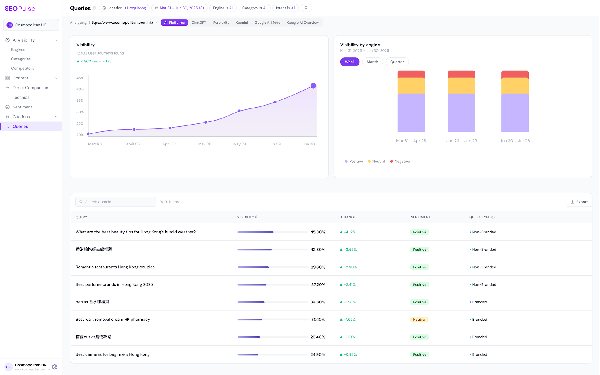
We built SEOPulse around this workflow. You can add and edit your own prompts, organize them by category and intent, and filter results by category, market and engine. For every prompt, you see the full AI answer, the exact URLs cited and which competitors appeared. Gap analysis shows the pages AI cites instead of yours, so you can turn a missing prompt into a brief.
Each brand workspace can track multiple markets and languages, including English, Traditional and Simplified Chinese, Japanese and Korean, so you can run the same matrix for clients in Singapore, Sydney or Seoul. And when the gaps outrun your team’s writing time, SEOPulse’s white-label content service turns Deep Dive briefs into finished pages, delivered unbranded. We track prompts in any market and language, so you can run the same matrix for clients in Singapore, Sydney or São Paulo.
Frequently asked questions
Prompt tracking is running a fixed set of buyer questions through AI engines like ChatGPT, Gemini, Perplexity and Google’s AI features, and recording whether your brand is mentioned, which URLs are cited and which competitors appear. It’s the AI search equivalent of rank tracking.
No tool can show you every prompt real users type into AI engines. The most reliable approach is to start with questions you have evidence for: sales calls, customer inquiries, FAQs, Search Console queries and People Also Ask. Label the source of each question so you know how strong the evidence is.
Not currently. Google’s generative AI reports in Search Console, which began rolling out in June 2026, show impressions, pages, countries and devices for AI Overviews and AI Mode, but not the queries behind them. Use the regular Performance report to find question-style queries.
A keyword is a short search term, like “prompt tracking tool”. A prompt is a full question, often with context, like “What’s the best prompt tracking tool for an agency with clients in three countries?” Prompts show you how AI describes and recommends you, not just where you rank.
For a pitch or first project, 25 to 30 prompts on one product in one market is usually enough. For ongoing tracking, cover each category you’ll report on and keep the total to what your team can act on.
Use fan-out for content ideas, not as proof of demand. Fan-out questions are generated by the AI engine itself, with no search volume or customer data behind them. They’re useful for deciding which sub-topics a page should cover.
Create a category dictionary that lists each topic once with its aliases. For example, Xiaohongshu and Little Red Book are the same platform and should sit in one category. Splitting them weakens your data and makes results harder to read.
Category averages. An overall visibility score can hide the fact that you’re strong in one area and absent in another. Category-level results show you where to act.
Keep a stable core set of prompts, only compare core prompts across periods, and log every change you make to that set. Test new ideas in a separate exploratory set.
Put your prompt matrix to work
See where you stand first. Run SEOPulse’s free brand scan at app.seopulse.io/brand-scan to see your visibility across five AI engines and which competitors show up instead. It’s a one-off snapshot, not ongoing tracking.
Ready to track your matrix? Book a SEOPulse demo with a few real buyer questions. We’ll help you shape them into a core set and show you the full answers, cited pages and gaps for the market that matters to you.
Still choosing a tool? Read our guide to the best AI visibility tools or our Otterly alternatives comparison.
Sources
- SEOPulse, GEO & AI Search Benchmark: 755 buyer prompts and 6,811 AI answers across ChatGPT, Perplexity, Gemini, Google AI Overviews and Google AI Mode. Data collected 16 August 2026.
- SEOPulse, Citation Analysis, October 2026: 9,779 citations across 50 buyer and search queries, plus engine-level source analysis.
- SEOPulse, Tenfold AI case study (client-reported).
- SEOPulse conversations with agency partners and clients, 2026.
- Google Search Central:
Optimizing for generative AI features in Google Search - PPC Land:
Google gives Search Console its own generative AI visibility reports
(June 2026)
Jessica leads content at SEOPulse: product-led content, SEO strategy, AI citation strategy and thought leadership.
An APAC growth operator who has worked across agency networks (OMD, PHD) and in-house at brands including Mox, Marriott and TransUnion. He has been doing SEO since the early days of the web, and built the first version of SEOPulse inside his own agency.