Category: Tools

  • Best AI Visibility Tools in 2026: 10 Tools for Tracking Brand Mentions and Citations

    TOOLS12 min readLast updated 29 October 2026

    Best AI Visibility Tools in 2026: 10 Tools for Tracking Brand Mentions and Citations

    Written by
    Jessica Lam Hill Young
    Content Lead
    Strategy review
    Lawrence Lo
    Founder and CEO
    Technical review
    Tom Lai
    Founder and CPO

    Compare 10 AI visibility tools that track brand mentions and citations in ChatGPT, Gemini, Perplexity and Google AI. Features, prices and what users say.

    Best AI visibility
    tools in 2026
    ChatGPTGeminiPerplexity
    Free: run a brand scan to see where your client stands →
    QUICK ANSWER
    The main AI visibility tools in 2026 are SEOPulse, Otterly, Peec AI, Profound, Scrunch AI, Brandlight, the Semrush AI Visibility Toolkit, Ahrefs Brand Radar, SE Ranking and Brand24. Each one tracks how AI engines such as ChatGPT, Gemini, Perplexity and Google’s AI features mention and cite a brand, with starting prices from $29/month to custom enterprise plans as of October 2026.

    We included dedicated AI visibility platforms alongside the AI visibility features of established SEO and brand monitoring suites. Each tool tracks brand mentions or citations in AI answers and publishes its features on its own website.

    • Dedicated AI visibility platforms: SEOPulse, Otterly, Peec AI, Profound, Scrunch AI and Brandlight

    • SEO suites with AI visibility: Semrush, Ahrefs Brand Radar and SE Ranking

    • Brand monitoring with an AI add-on: Brand24
    DISCLOSURE
    SEOPulse is our product. Every tool here is described the same way, including ours.

    What do AI visibility tools measure?

    AI visibility tools measure how often AI engines mention your brand, link to your pages and recommend you compared with competitors. Most combine these into a visibility score, but each metric tells you something different.

    MetricWhat it means
    Brand mentionThe AI answer names your brand
    CitationThe AI answer links to your page as a source
    Cited URLThe exact page the AI linked to
    PositionWhere your brand appears in a list of recommendations
    Share of voiceHow often you appear compared with the competitors you choose
    SentimentWhether the answer describes your brand positively, neutrally or negatively

    Mentions and citations often don’t happen together. In SEOPulse’s August 2026 benchmark of 6,811 AI answers in Hong Kong and Singapore, 53.4% mentioned a tracked brand, 34.2% cited its website, and only 10.0% did both.

    10 AI visibility tools compared

    ToolEngines trackedCited URLsMarketsStarting priceFree option
    SEOPulseChatGPT, Gemini, Perplexity, Google AI Overviews, Google AI Mode; regional engines as add-onsYesUnlimited markets, built for Asia-Pacific$49/monthFree brand scan; 7-day trial
    OtterlyChatGPT, Google AI Overviews, Perplexity, Copilot; AI Mode, Gemini and Claude as add-onsYes50+ countries$29/monthFree trial
    Peec AIChoose 3 per plan; more as add-onsYesAny supported country, no extra cost$80/month (billed annually)Free trial
    ProfoundUp to 9 on Enterprise, including Claude, Copilot and DeepSeekYesCustom on EnterpriseCustom7-day trial (50 fixed prompts)
    Scrunch AIChatGPT, Claude, Gemini, Perplexity, Google AI Mode, AI Overviews, MetaYesNot listed$250/month (billed annually)7-day trial
    BrandlightChatGPT, Gemini, Perplexity, Copilot, Grok, Google AIYes (source analysis)Not listedCustomDemo
    Semrush AI Visibility ToolkitChatGPT and Google AI ModePartialRegional or worldwide$99/monthNone
    Ahrefs Brand RadarGoogle AI Overviews, AI Mode, ChatGPT, Perplexity, Gemini, Copilot; Claude for custom promptsYesBy location€47/month (custom prompts)Free AI Visibility Checker
    SE Ranking AI Search ToolkitGoogle AI Overviews, AI Mode, ChatGPT, Gemini, PerplexityYes7 markets, 5 languages for source analysisNot publishedFree checker; 14-day trial
    Brand24Not listedNot listedNot listed$199/month, plus AI Visibility add-onTrial

    Prices and engine lists from each vendor’s official pages, checked October 2026. They change often, so check before you buy.

    Dedicated AI visibility platforms

    1. SEOPulse: AI visibility tracking built for Asia-Pacific markets

    SEOPulse is an AI visibility platform built for how Asia searches with AI. It tracks how ChatGPT, Gemini, Perplexity, Google AI Overviews and Google AI Mode answer buyers in their own language and market, then shows what to change to get cited. Explore SEOPulse’s AI visibility tracking features.

    Key features:

    • Daily prompt tracking across the five core engines, with visibility score, ranking, share of voice, citations and sentiment on every plan.

    • Live interface capture. Core engines are captured from the live interface, showing exactly what a signed-out user sees, including citations and local results.

    • Regional engines. DeepSeek, Qwen, Doubao, ERNIE, Kimi, Naver AI Briefing, Microsoft Copilot and Claude are available as add-ons.

    • Full answers and sources. Open any prompt to read each engine’s full answer, the brands it named and the pages it cited. Sources are split into yours, competitors’, third-party and social.

    • Categories. Group prompts by product line, topic or intent, and upload up to 500 prompts at once from a spreadsheet.

    • Technical audit (Pro and above) checks robots.txt, llms.txt, AI bot access and structured data, and ranks fixes by impact.

    • Deep Dives ($2 per prompt) pull every page AI cited for a prompt and show the headings, keywords, tables and schema it used, plus gap analysis and recommendations for your own pages.

    • White-label content. SEOPulse’s content team can turn Deep Dive briefs into finished, AI-ready pages, localised into Asian languages and delivered unbranded so agencies can hand them to clients. Learn how to optimize content for AI search when turning a brief into a page.

    Benefits: you see the evidence behind every score, track Chinese, Japanese and Korean prompts in local markets, and move from a missing prompt to a content brief in the same workspace.

    What users say: SEOPulse is newer, so there’s little independent public feedback yet. A partner reviewing their trial results said: “The overall average doesn’t mean much, but the category average is more meaningful.” Agency partner Digital Zoo, which grew its tracked prompts 5x in two months, says its clients prefer SEOPulse for its user-friendliness and cost-effectiveness.

    Read the Digital Zoo case study for the full agency example.

    Pricing: Starter $49/month (25 prompts, 1 brand), Pro $149/month (100 prompts, 3 brands), Agency $299/month (250 prompts, 10 brands), Custom for larger needs. All plans include unlimited markets and a 7-day free trial. Check current SEOPulse pricing and prompt limits. A free brand scan is available at app.seopulse.io/brand-scan.

    2. Otterly: AI search monitoring with GEO audits

    Source: https://otterly.ai/

    Otterly is an AI search monitoring tool that tracks brand mentions and citations, with GEO audits included. Compare Otterly alternatives for agencies if you are considering a switch.

    Key features:

    • Tracking in ChatGPT, Google AI Overviews, Perplexity and Microsoft Copilot, with Google AI Mode, Gemini and Claude as paid add-ons

    • Brand reports, citation analysis, domain rankings and a prompt research tool

    • GEO audits of your pages

    • Looker Studio connector and API access from the Standard plan

    Benefits: a low entry price and quick setup.

    What users say: one Reddit user testing it said it “feels pretty clear and easy to use. Definitely more structured than just screenshotting results.” Another current user was critical of the content suggestions: “Listicle after listicle, competitive article after competitive article.”

    Pricing: $29/month (15 prompts), $189/month (100 prompts), $489/month (400 prompts). Annual billing is 15% off.

    3. Peec AI: self-serve AI search analytics with daily tracking

    Source: https://drive.google.com/file/d/1gcLOrkNUDQfh3nhlEUdFPqgLkFN4TJRS/view?usp=drivesdk

    Peec AI is a self-serve AI search analytics tool with daily tracking.

    Key features:

    • Daily tracking of every prompt

    • Choose three engines per plan from ChatGPT, Google AI Mode, AI Overviews, Copilot, Gemini and Naver AI

    • Prompt tagging and source filters

    • Looker Studio, CSV and MCP reporting; API on Enterprise

    Benefits: unlimited users on every plan, and no extra cost for tracking more countries or languages.

    What users say: one user who tried both found Peec “was better for research” than Otterly. Another uses it to “spin up custom reports — simple or complex — without exporting CSVs and rebuilding dashboards.” A LinkedIn user added that “you need to put effort into curating the tracked prompts.”

    Pricing: from $80/month (Starter), $205/month (Pro) and $420/month (Advanced), billed annually. Enterprise is custom.

    4. Profound: enterprise AI visibility with content workflows

    Source: https://www.tryprofound.com/features/pages

    Profound is an enterprise AI visibility platform with built-in AI content workflows.

    Key features:

    • Up to nine engines on Enterprise, including Claude, Copilot and DeepSeek

    • Full data history, CSV and JSON exports, and API access on Enterprise

    • AI agents for content and marketing workflows

    • Agent analytics for AI-sourced traffic

    Benefits: broad engine coverage and enterprise features such as SSO and SOC 2 compliance.

    What users say: one Reddit reviewer called it “very comprehensive, particularly around citations, visibility and understanding how AI systems talk about a brand. The downside is obvious: it’s expensive.” A LinkedIn tester found the “interface can feel a bit clunky/overwhelming at first.”

    Pricing: custom Enterprise pricing. A self-serve Agency Growth plan is priced in credits per client workspace.

    5. Scrunch AI: AI visibility tracking plus site fixes for AI agents

    Source: https://drive.google.com/file/d/1VTDO9V2q8SlfJG9zlVjELG3K1CYlNJ15/view?usp=drivesdk

    Scrunch AI tracks AI visibility and includes tools for how a website is delivered to AI agents.

    Key features:

    • Seven engines on every plan, including Claude and Meta

    • Citation tracking and insights on content gaps

    • Page audits with suggested fixes

    • AXP (Agent Experience Platform), which creates an AI-friendly version of your site

    Benefits: no engine add-ons, and monitoring and site fixes in one place.

    What users say: a Reddit user comparing it with Profound said they “could literally see which exact pieces of content LLMs were pulling from.” In a post sponsored by Scrunch, a tester noted that “the full bot-serving layer is enterprise-only and needs a CDN setup.”

    Pricing: Starter $250/month and Growth $417/month, billed annually, or $300 and $500 month to month. Enterprise is custom.

    6. Brandlight: enterprise tracking of brand perception in AI answers

    Source: https://brandlight.ai/

    Brandlight is an enterprise AI visibility platform focused on how AI engines describe a brand.

    Key features:

    • Visibility and sentiment tracking across engines

    • Source analysis showing which sources AI uses to validate a brand

    • Content and publisher recommendations

    • Multi-brand view and SOC 2 Type II compliance

    Benefits: depth on brand perception and sentiment for large organisations.

    What users say: there’s little independent public feedback so far. One SEO director on G2 said “It takes some time to learn since there is a lot of data.”

    Pricing: not published. Access is by demo.

    SEO suites with AI visibility

    7. Semrush AI Visibility Toolkit: AI tracking inside Semrush

    Source: https://www.semrush.com/solutions/ai-visibility/

    The Semrush AI Visibility Toolkit adds AI visibility tracking to the Semrush SEO platform.

    Key features:

    • Prompt tracking in ChatGPT and Google AI Mode

    • AI visibility score, competitor research and brand sentiment

    • Prompt research with volume-style data

    • AI search site audit

    Benefits: AI visibility sits next to your existing SEO reporting, with no new tool to learn.

    What users say: one Reddit user chose it because “I was already using Semrush for SEO reporting so it made the most sense.” Another, using an earlier version of the add-on, said they “have to manually extract data to make something useful for tactics.”

    Pricing: $99/month for 25 tracked prompts. Semrush One bundles raise the limit to 50–200 prompts.

    8. Ahrefs Brand Radar: AI mentions and citations inside Ahrefs

    Source: https://ahrefs.com/brand-radar

    Ahrefs Brand Radar tracks how a brand appears in AI answers, YouTube and Reddit, inside Ahrefs.

    Key features:

    • Custom prompt tracking, as often as daily

    • An AI Visibility Index built on a large prebuilt prompt database

    • Separate reporting for mentions, citations, cited pages and AI share of voice

    • Visibility on YouTube, TikTok and Reddit

    Benefits: AI visibility research alongside existing Ahrefs SEO data, with no setup needed for the prebuilt index.

    What users say: one Reddit user said “If you already use Ahrefs, this is the easiest ‘bolt-on.’” Another said “Ahrefs is okay but expensive for full coverage.”

    Pricing: custom prompts from €47/month; the AI Visibility Index from €179/month. A free AI Visibility Checker gives a one-off preview.

    9. SE Ranking AI Search Toolkit: AI visibility alongside SEO data

    Source: https://seranking.com/ai-visibility-tracker.html

    SE Ranking’s AI Search Toolkit adds AI visibility tracking to its SEO platform. SE Ranking also offers SE Visible as a separate AI visibility product.

    Key features:

    • Tracking in Google AI Overviews, AI Mode, ChatGPT, Gemini and Perplexity

    • Brand mentions, links and positions in answers over time

    • Source analysis that groups cited sites into media, blogs and forums

    • Client dashboards through Looker Studio, AgencyAnalytics and Whatagraph; API and MCP access

    Benefits: SEO and AI visibility data in one place, with reporting integrations.

    What users say: one Reddit user called it “great for checking how AI is citing brands and where it’s pulling sources from by region. It’s a solid daily driver.”

    Pricing: not published on the toolkit page. A 14-day trial and a free checker (5 checks a day) are available.

    Brand monitoring with an AI add-on

    10. Brand24: social listening with an AI visibility add-on

    Source: https://brand24.com/ai-search-visibility/

    Brand24 is a social listening tool with an AI Visibility module available as an add-on.

    Key features:

    • Web and social mention monitoring

    • Sentiment analysis and competitor benchmarking

    • AI Visibility add-on for tracking brand exposure on AI platforms

    • AI Brand Assistant on Pro plans and above

    Benefits: AI visibility alongside social and web mentions in one tool.

    What users say: user feedback mostly covers social listening, not the AI add-on. One Reddit user said it “does the job for social media monitoring.” Another, using it for buyer research, said it “still feels like looking for a needle in a haystack.”

    Pricing: plans from $199/month to $1,499/month (billed annually). The AI Visibility add-on price isn’t published.

    What features should you look for in an AI citation tracking tool?

    An AI citation tracking tool should show you the exact pages AI cites, across the engines and markets your buyers use, with data you can report on. These are the features that separate tools most: Before comparing dashboards, build a prompt tracking workflow around your buyer questions.

    • Cited URLs, not just domains. You need to see which of your pages, and which competitor pages, AI links to.

    • The full answer behind every score. Without it, you can’t check or explain a number.

    • Engine coverage. Check which engines are included and which cost extra. Google AI Overviews and Google AI Mode should be tracked separately.

    • Markets and languages. Check whether extra countries cost more and whether local-language prompts are supported.

    • How answers are collected. Live interface capture and API queries can return different answers.

    • Refresh rate and history. Daily tracking is common. How far back you can see varies.

    • Categories and competitor lists you can edit.

    • Reporting and exports you can share without screenshots.

    • A path to action, such as gap analysis or content recommendations.

    Free checks vs ongoing tracking

    A free check shows where your brand stands today. Ongoing tracking shows how that changes over weeks and months. Learn how to run a free AI visibility audit and read the snapshot.

    Free checkOngoing tracking
    What you getA one-off snapshot of visibility and competitorsDaily or weekly tracking over time
    ExamplesSEOPulse free brand scan, Ahrefs AI Visibility Checker, SE Ranking free checkerAny of the 10 tools above

    The SEOPulse free brand scan asks for your website, a work email, one market, 5–8 prompts and 3–5 competitors. Results arrive in a few minutes.

    Frequently asked questions

    An AI visibility tool tracks how AI engines like ChatGPT, Gemini, Perplexity and Google’s AI features mention, cite and recommend your brand. It runs a set of buyer questions across those engines and reports where you appear and where competitors appear instead.

    SEOPulse, Otterly, Peec AI, Profound, Scrunch AI, Ahrefs Brand Radar and SE Ranking all show the exact URLs AI cites across several engines. Brandlight reports on cited sources. Semrush tracks citations in two engines, ChatGPT and Google AI Mode.

    Yes, in most dedicated tools. Look for a view that lists your own cited URLs and how often each one is cited, alongside the full answer it appeared in.

    Share of voice is usually your brand’s appearances divided by the total appearances of your brand and the competitors you’ve chosen. A visibility score uses everyone who appears in the answers, including publishers like YouTube or Reddit, which is why the two numbers often move together but rarely match.

    Most tools run prompts daily rather than in real time. SEOPulse, Peec AI and Profound track daily.

    Most tools keep data from the day you start tracking, so history builds over time. Some limit history by plan; Profound, for example, includes full history on Enterprise only.

    Yes, in tools that support market and category filters. Comparing by category is often more useful than one overall average. SEOPulse groups prompts by product line, topic or intent, and tracks each market separately.

    Most tools let you set your own competitors. Share of voice is calculated against that list, so the list you choose changes the result.

    By starting price, Otterly starts at $29/month, SEOPulse at $49/month, Peec AI at $80/month (billed annually) and Semrush at $99/month. Costs rise with the number of prompts, engines and markets you track.

    Set up a separate prompt set for each target country, using the local language and questions your customers would naturally ask. Choose a tool that lets you report by market and language, and check that it covers the AI engines your audience uses. SEOPulse offers DeepSeek, Qwen, Kimi and ERNIE through its Chinese LLM pack add-on. Check the plans and regional engine options to choose the coverage you need. Track brand mentions, citations and competitor visibility for each market separately, then repeat the same prompts over time to monitor changes.

    A mention is when an AI answer names your brand. A citation is when it links to your page as a source. Track them separately, because one can rise while the other falls.

    There are free checks, including the SEOPulse brand scan, the Ahrefs AI Visibility Checker and the SE Ranking free checker. They give you a snapshot. Tracking over time needs a paid plan.

    See where your brand stands

    Run a free SEOPulse brand scan at app.seopulse.io/brand-scan to see your visibility across five AI engines and which competitors show up instead. Results arrive in a few minutes.

    Comparing alternatives to Otterly specifically? Read our Otterly alternatives guide.

    Sources

    • SEOPulse, GEO & AI Search Benchmark: 6,811 AI answers across 5 engines in Hong Kong and Singapore, August 2026

    • SEOPulse pricing page, product page and free brand scan screens, October 2026

    • Official pricing and product pages, checked October 2026:
      Otterly
      ,
      Peec AI
      ,
      Profound
      ,
      Scrunch
      ,
      Brandlight
      ,
      Semrush
      ,
      Ahrefs Brand Radar
      ,
      SE Ranking
      ,
      Brand24

    • Peec AI price history:
      PricingSaaS

    • Reddit:
      r/SEO_tools_reviews (Peec vs Otterly vs Profound)
      ,
      r/SEO_tools_reviews (Otterly)
      ,
      r/SEO_LLM (Otterly)
      ,
      r/SaaS (Profound)
      ,
      r/DigitalMarketing (Scrunch)
      ,
      r/SEO_Experts (Semrush, Ahrefs)
      ,
      r/SEO_Experts (Ahrefs)
      ,
      r/SEO_tools_reviews (Semrush, SE Ranking)
      ,
      r/AItoolsCatalog (Brand24)
      ,
      r/AskMarketing (Brand24)

    • LinkedIn:
      Peec prompt curation
      ,
      Peec reporting
      ,
      Profound usability
      ,
      Scrunch (sponsored)

    • G2:
      Brandlight reviews
    ABOUT THE AUTHORS
    Jessica Lam Hill Young
    Content Lead

    Jessica leads content at SEOPulse: product-led content, SEO strategy, AI citation strategy and thought leadership.

    Lawrence Lo
    Founder and CEO

    An APAC growth operator who has worked across agency networks (OMD, PHD) and in-house at brands including Mox, Marriott and TransUnion. He has been doing SEO since the early days of the web, and built the first version of SEOPulse inside his own agency.

    Tom Lai
    Founder and CPO

    A tech lead with more than ten years of engineering leadership, scaling high-load systems and running technical audits. Tom architected the SEOPulse engine: the data pipelines that collect AI answers as real users see them and turn citations into clear next steps.
  • How to Build a Prompt Tracking Workflow (Free Template)

    GEO19 min readLast updated 29 October 2026

    How to Build a Prompt Tracking Workflow (Free Template)

    Written by
    Jessica Lam Hill Young
    Content Lead
    Strategy review
    Lawrence Lo
    Founder and CEO
    Technical review
    Tom Lai
    Founder and CPO

    A step-by-step prompt tracking workflow for agencies: find the right questions, build a prompt matrix, set a stable baseline and turn gaps into content.

    Prompt tracking
    workflow
    ChatGPTGeminiPerplexity
    Free: run a brand scan to see where your client stands →
    QUICK ANSWER
    Prompt tracking means running a fixed set of buyer questions through AI engines like ChatGPT, Gemini, Perplexity and Google’s AI features, then recording whether your brand is mentioned, which pages get cited, and who shows up instead. The hard part isn’t the tracking. It’s choosing the right questions. Start from real customer and search evidence, organize your questions into a prompt matrix, lock a stable core so your results are comparable over time, and use every gap to decide what content or outreach to do next.
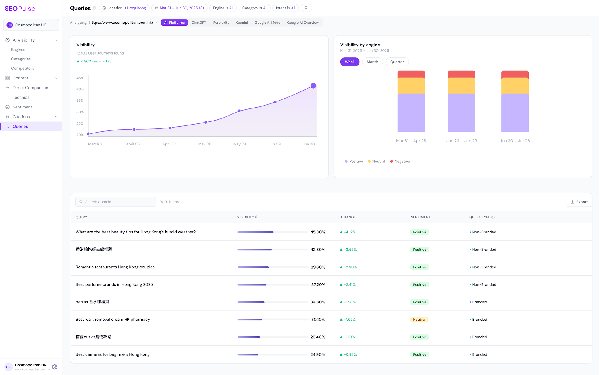
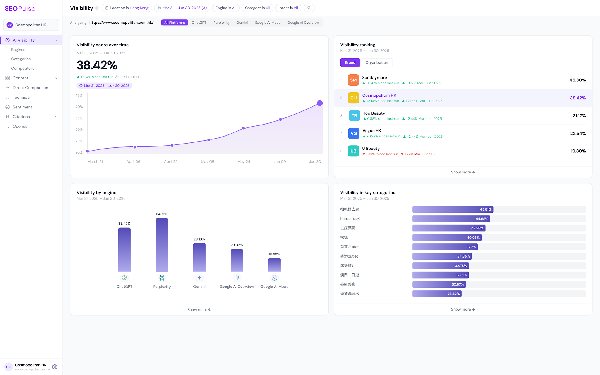
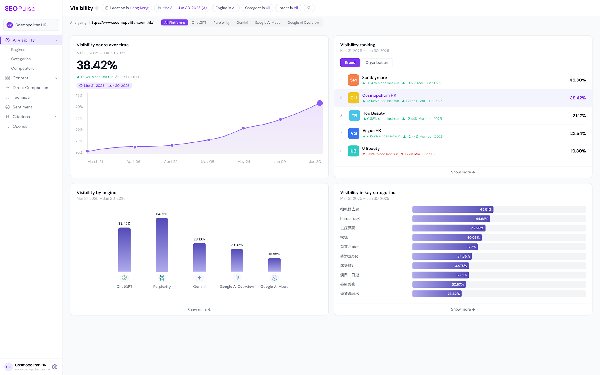
    SEOPulse visibility overview with trend, engine and category summaries

    On a recent call, a strategist at a media and tourism agency told us something we hear in almost every demo:

    “Sometimes we don’t know what we don’t know. We don’t know what prompts people are making.”

    Their client wanted to attract international visitors. The agency could see how to plug prompts into a tracking tool. What they couldn’t see was which prompts were worth tracking in the first place.

    That’s the real problem with prompt tracking. Most guides jump straight to dashboards and scores. But a dashboard is only as useful as the questions behind it. Track the wrong ones and you’ll get clean charts that tell you nothing.

    This guide walks through the workflow we use with agencies. By the end, you’ll have:

    • a way to find questions backed by real evidence
    • a prompt matrix you can reuse for every client
    • a stable baseline you can compare month to month
    • a simple way to turn gaps into content, FAQs or outreach

    What is prompt tracking?

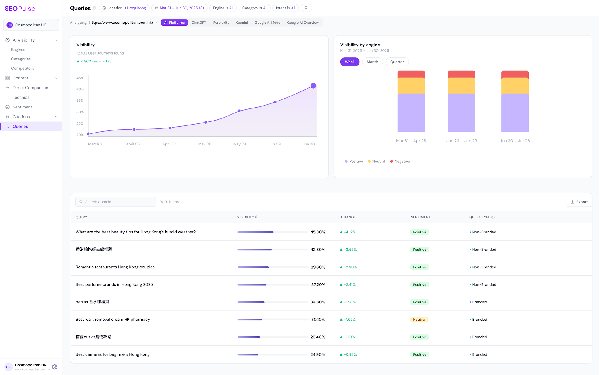
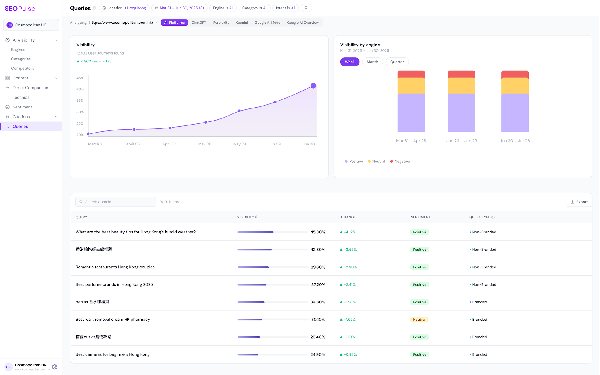
    Tracked questions with visibility trends and brand results

    Prompt tracking is the practice of running a documented set of questions through AI engines on a regular schedule and recording what comes back. For each question, you note whether your brand is mentioned, which URLs are cited, which competitors appear, and how the answer describes you.

    It’s the AI search version of rank tracking. But instead of checking where a keyword ranks, you’re checking how an AI engine answers a buyer’s question.

    What prompt tracking can and can’t tell you

    Measurement framework covering recommendations, share of voice, accuracy and citations

    It’s worth being clear about this up front, especially if you’ll be reporting to clients.

    Prompt tracking can tell youPrompt tracking can’t tell you
    How AI engines answer the questions you choseEvery question real users are asking
    Whether your brand is mentioned or citedHow many people asked each question
    Which of your pages (and competitors’ pages) get citedExactly how a specific user’s answer looked
    How answers change over time, by engine and marketRevenue from AI answers on its own

    Your prompt set is a sample. A good sample, built carefully, tells you a lot. But it’s still a sample, so document how you built it.

    What to record for every answer

    A question detail view with AI response text and cited sources

    Every observation should note the conditions it was collected under. Otherwise you can’t compare results fairly later.

    • Engine: ChatGPT, Gemini, Perplexity, Google AI Overviews, Google AI Mode
    • Market and language: for example, Hong Kong in English, or Taiwan in Traditional Chinese
    • Exact question: word for word
    • Date collected
    • Brand mention: yes or no
    • Cited URLs: yours and everyone else’s

    Why separate mentions from citations? In our August 2026 benchmark of 6,811 AI answers across five engines:

    • 53.4% mentioned a tracked brand
    • 34.2% cited that brand’s website
    • Only 10.0% did both

    Being named and being linked are two different wins. Track them separately.

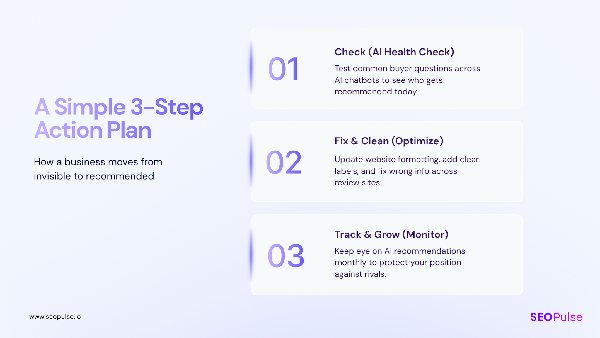
    The prompt tracking workflow at a glance

    Check, fix and track action plan summarizing the workflow
    1. Collect questions from real customer and search evidence
    2. Choose high-intent questions and record where each came from
    3. Build your prompt matrix by category, intent, market and persona
    4. Set your engines and markets, then run a baseline
    5. Lock a stable core and log every change
    6. Review the answers and turn gaps into work

    Let’s go through each one.

    Step 1: How do you find which prompts to track?

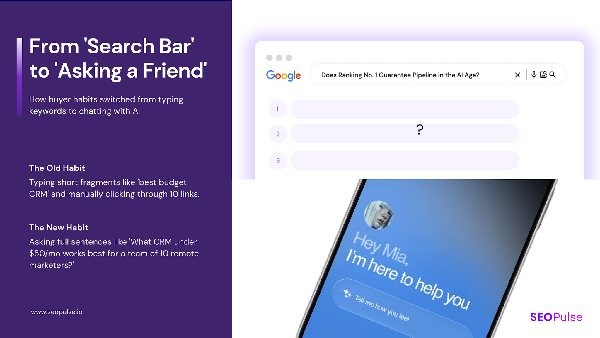
    Search evolving from short keywords to conversational questions

    Start with questions your customers already ask, then use search data to confirm and expand them. Customer inquiries, sales calls, FAQs, Google Search Console and People Also Ask all give you questions backed by real behavior. AI-generated question ideas are useful too, but treat them as guesses until you have evidence. A free AI visibility scan can give you a first snapshot before you build the ongoing tracking set.

    If you know a business well, you probably already know most of the questions its buyers ask. The job is to collect them in one place and label where each one came from.

    Where to find prompt ideas

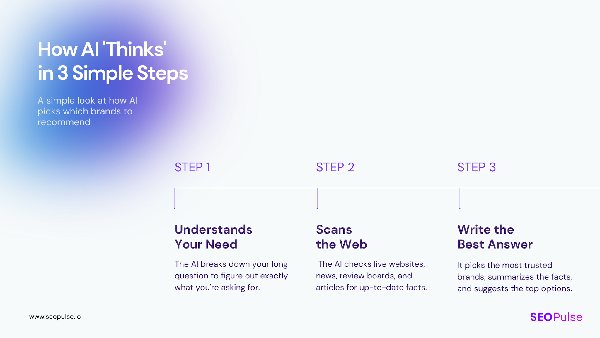
    How AI interprets a need, scans the web and writes an answer
    SourceWhat it gives youHow strong is the evidence?
    Sales calls and customer inquiriesThe exact words buyers use before they buyStrong. These are real questions from real buyers.
    Customer service tickets and FAQsRecurring questions and objectionsStrong. FAQs exist because customers keep asking.
    Google Search ConsoleThe queries already bringing people to the siteStrong for search. Shows real queries with impressions.
    People Also Ask (PAA)Related questions Google shows for a keywordGood. They appear because people search for them.
    Forums and communitiesHow people describe problems in their own wordsGood for wording. Check it’s relevant to your market.
    AI query fan-outSub-questions an AI engine generates to build its answerWeak as demand evidence. Useful for content ideas (see Step 6).
    Licensed prompt dataPanels of anonymized real AI promptsPotentially strong, but expensive and not always available

    Label the source of every question

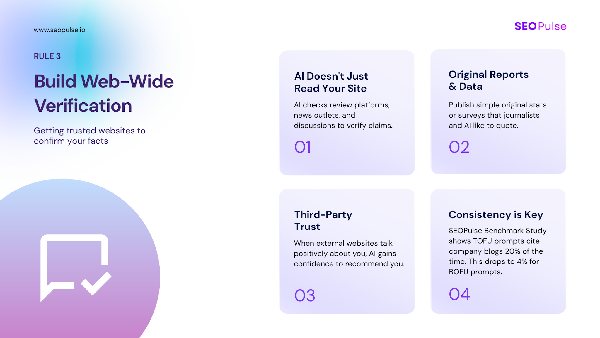
    Web-wide verification through original reports, third-party trust and consistency

    This is the habit that makes the rest of the workflow work. A question from a sales call, a Search Console query and an idea you brainstormed are not equal. When a client asks “why are we tracking this?”, you want an answer.

    Add a source column to every question. Something as simple as Sales call, GSC, PAA, FAQ, Forum or Analyst idea is enough.

    How to use Google Search Console for prompt ideas

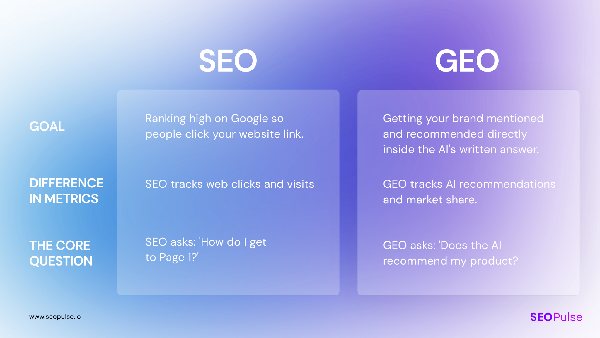
    SEO versus GEO comparison

    Search Console is one of the best places to start, because it shows the queries that already bring people to your site.

    1. Open the Performance report and set the date range to the last 12 to 16 months.
    2. Filter queries for question words. A regex filter like ^(how|what|which|why|best|is|can|should)\b works well.
    3. Look for longer queries. Long, conversational queries often look a lot like AI prompts.
    4. Shortlist the ones that match a service or product the client actually sells.

    A note on Search Console’s AI reports: In June 2026 Google began rolling out generative AI performance reports in Search Console. They show impressions, pages, countries and devices for AI Overviews and AI Mode. They don’t show the prompts or queries that triggered those impressions, and they’re only available to some sites so far. So use them to see which pages appear in AI features. Use the regular Performance report to find questions.

    Step 2: How do you choose high-intent questions from PAA and Search Console?

    A buyer question and its response details

    Keep the questions that connect to a real buying decision, merge wording variants, and drop anything navigational. For each question, ask what the buyer is trying to decide and which of the client’s offers it relates to. If you can’t answer both, it probably doesn’t belong in your core set.

    You’ll likely end up with hundreds of candidate questions. Here’s how to shortlist.

    Ask three questions about every prompt

    Localized intelligence overview
    1. What decision is the buyer making? Comparing options, checking price, understanding a problem, choosing a provider?
    2. Which offer does it connect to? If it doesn’t relate to something the client sells, it’s research, not tracking.
    3. Would someone in this market really ask it? A question that makes sense in the US may not in Singapore or Taiwan.

    Merge variants that share the same need

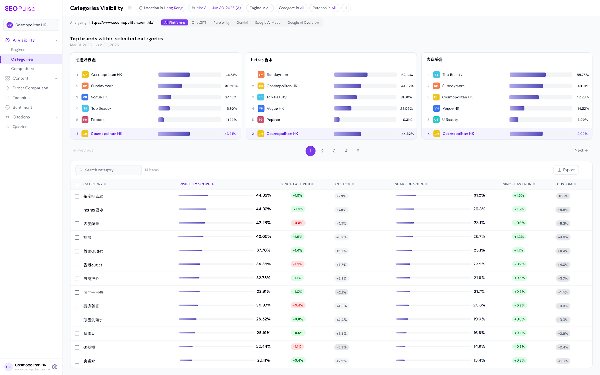
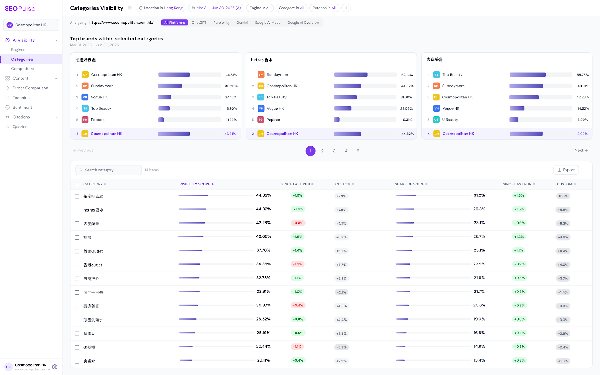
    Category view showing how questions can be grouped

    PAA and Search Console often give you five versions of the same question. Pick the clearest one and note the others as variants.

    Variants you foundKeep as one prompt
    “how to track prompts in chatgpt” · “chatgpt prompt tracking” · “track brand in chatgpt answers”How do I track whether ChatGPT mentions my brand?
    “best ai visibility tool for agencies” · “ai seo tool for agency clients”What’s the best AI visibility tool for agencies managing several clients?

    What to drop

    Competitor content insights to help assess whether a topic is relevant
    • Navigational queries like “[brand] login” or “[brand] pricing page”
    • Questions you forced to include a keyword that no buyer would say that way
    • Questions with no link to an offer, unless you’re deliberately tracking awareness

    Keep a few discovery questions too

    AI-generated summaries and recommendations

    Don’t make your set 100% commercial. Early research questions (“What is GEO?”, “How do AI engines choose sources?”) show whether you’re part of the conversation before a buyer has a shortlist. A healthy mix covers the whole buyer journey.

    Run a free SEOPulse brand scan before building your prompt matrix to get a starting snapshot of your brand.

    Step 3: How do you build a prompt matrix?

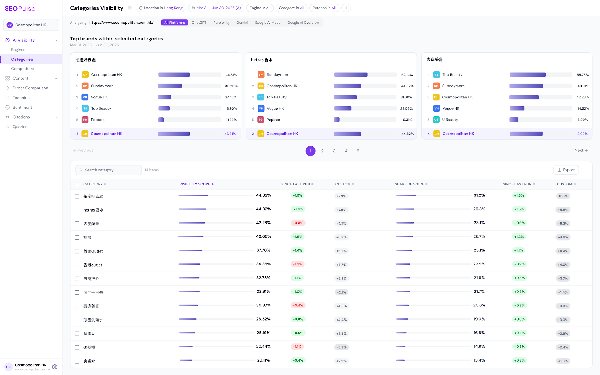
    Category dashboard illustrating a grouped prompt set

    A prompt matrix is a table that organizes your questions by topic, buyer intent, market and persona, so you can see coverage and gaps at a glance. Instead of a loose list of questions, every prompt sits in a labeled row. That lets you filter results by category, compare markets, and spot where you’re strong and where you’re missing.

    Start with a simple grid

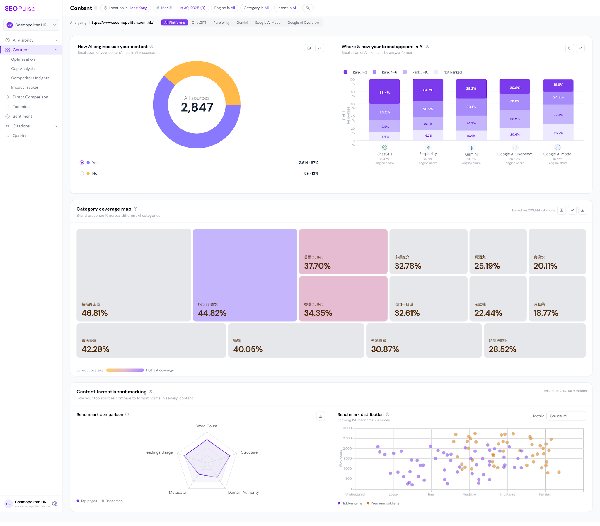
    Content dashboard with grouped coverage and topic summaries

    Cross your client’s main topics or products with the buyer’s intent.

    IntentProduct or topic AProduct or topic B
    Informational“How does [X] work?”“What are the benefits of [Y]?”
    Comparative“[Brand] vs [competitor] for small teams”“Best [category] providers in [market]”
    Problem-solving“How do I fix [problem] with [X]?”“How to automate [process]”
    Transactional“Is [brand] worth the price?”“How much does [service] cost in [market]?”

    Add qualifiers for real-world context

    Localized intelligence slide supporting the use of market context in prompts

    Real buyers add context to their questions. Adding the same context to your prompts shows you how AI engines answer specific buyers, not just generic ones.

    • Persona: “…for a marketing manager”, “…for a solo founder”
    • Constraint: “…under $50 a month”, “…that works with Shopify”
    • Market: “…in Hong Kong”, “…available in the EU”

    Only add a market qualifier when the answer would really change by market. Don’t copy every question ten times with a different country name.

    Prompt matrix template

    Tracked-question table as a visual reference for a prompt matrix

    Copy the matrix fields below into your own spreadsheet and add your client’s buyer questions to build your first prompt set. Keep the Prompt, Category and Intent columns: they’re the format SEOPulse’s bulk upload takes (up to 500 prompts at once, .xlsx or .csv).
    Here are the fields we recommend. The first set describes the question. The second records what you observed.

    About the question

    FieldExample
    Prompt IDP-014
    Exact questionHow do I validate prompt demand using Google Search Console and customer inquiries?
    Buyer taskChoosing which prompts to track for a client
    CategoryPrompt tracking
    IntentInformational
    PersonaAgency strategist
    Evidence sourceGSC + sales call
    MarketSingapore
    LanguageEnglish
    EnginesChatGPT, Gemini, Perplexity, AI Overviews, AI Mode
    StatusCore

    What you observed

    FieldExample
    Date collected2026-10-01
    EnginePerplexity
    Brand mentioned?No
    Your cited URLNone
    Top competing sourcecompetitor.com/blog/prompt-tracking
    Next actionNew FAQ on existing guide

    A worked example: tourism

    AI need interpretation and research process

    Here’s how the same approach looks for the tourism agency from the start of this article. Their client wanted to reach international visitors. Their questions were: “What markets are they coming from?” and “What kind of terms, what kind of citations are they looking at in their planning?”

    For tourism, organize the matrix around the traveler’s decision and their origin market.

    CategoryIntentExample promptMarket tracked
    Destination planningInformationalWhat are the best things to do in Hong Kong for a weekend trip?Singapore, Australia
    Events and experiencesComparativeWhat are the most unique sporting events to see in Asia this year?UK, Australia
    Practical planningProblem-solvingHow do I get tickets to a horse race in Hong Kong as a tourist?Mainland China, Japan
    BookingTransactionalIs it worth paying for a premium race-day package in Hong Kong?Singapore

    Illustrative example. Prompts are written for this guide, not taken from a client’s live matrix.

    For B2B software, you’d organize differently: by evaluation stage, constraints (budget, integrations, security) and implementation questions.

    How should you handle overlapping categories?

    Category dashboard illustrating why related prompts need consistent topic labels

    Create a category dictionary that lists each category once, with its aliases, so the same topic isn’t split across two labels.

    An influencer marketing agency we work with ran into this. Their matrix had “Xiaohongshu” and “Little Red Book” as separate categories. As they pointed out, “essentially they are the same thing.” Splitting them halved the data for each and made the results harder to read.

    The fix is simple:

    CategoryAliasesNotes
    XiaohongshuLittle Red Book, RED, 小红书One category. Keep alias spellings in prompts if buyers in that market use them.
    Influencer marketingKOL marketing, creator marketingSplit into nano, micro and lifestyle sub-categories only if you’ll report on them separately.

    Why category averages matter more than overall averages

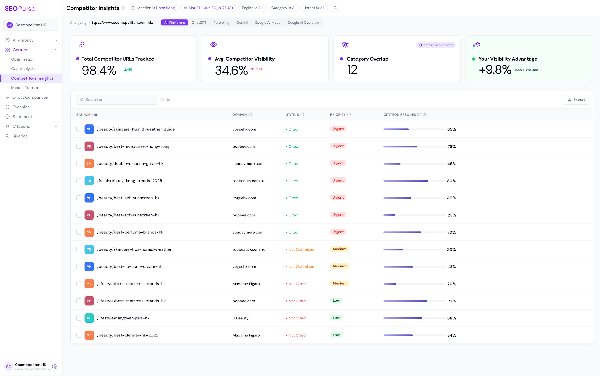
    Competitor insights table with page-level visibility comparisons

    The same agency was visible in about 11% of AI answers overall. That number looked unremarkable. But when they filtered by category, a different story appeared. They were strong on one broad “top agency” question and completely absent from the more specific nano, micro and lifestyle influencer questions.

    As they put it: “The overall average doesn’t mean much, but the category average is more meaningful.”

    That’s why categories matter. One overall score hides where to act. Category scores show you.

    Step 4: How do you set engines and markets, and run a baseline?

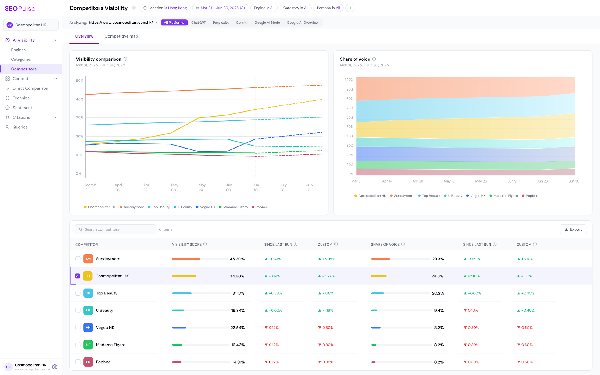
    Engine-level visibility cards, trend lines and comparison table

    Choose the engines your client’s buyers actually use, list each market and language separately, then run your full prompt set once to create a baseline. That baseline is your starting point. Every future result gets compared against it.

    Pick engines on purpose

    Separate performance results for different AI engines

    AI engines rarely agree with each other. In our benchmark, the five engines picked the same top vendor just 1.5% of the time. They also trust different sources. In our October 2026 research, Google AI Overviews leaned on LinkedIn and YouTube, while ChatGPT favored technical documentation.

    So good visibility in one engine tells you little about the others. Track each one separately, and treat Google AI Overviews and Google AI Mode as two different engines.

    Treat each market and language as its own track

    Localized AI intelligence overview supporting separate market and language tracking

    AI answers change with location and language. A prompt in English for Singapore and the same prompt in Traditional Chinese for Taiwan are two different observations. Record them separately and compare like with like.

    Run the baseline

    Visibility dashboard with a time trend to establish a starting reference

    Run every prompt in your core set across every engine and market you’ve chosen. Before you look at any scores, open a sample of the actual answers. Check that:

    • the prompts make sense and return relevant answers
    • the right competitors are showing up
    • your categories are labeled consistently

    If something’s off, fix it now. It’s much easier to adjust prompts before you start comparing results over time.

    Step 5: How do you build a stable core set of prompts?

    Tracked questions and trend history

    Split your prompts into a stable core that stays the same over time and an exploratory set you can change freely. Only compare core prompts month to month. When you do change the core, log the change so you don’t mistake a new prompt set for a real shift in visibility.

    This is the step most teams skip, and it’s why so many AI visibility reports are hard to trust. If you add 20 new prompts in March and your share of voice drops, did your visibility fall, or did the questions change?

    Core vs exploratory prompts

    Question-level trends and answer results
    Core promptsExploratory prompts
    PurposeMeasure change over timeTest new topics and markets
    ChangesRarely, and always loggedFreely
    Reported to clients as a trend?YesNo, report separately
    Typical sourceStrong evidence: sales, GSC, PAANewer ideas, fan-out, analyst ideas

    Keep a change log

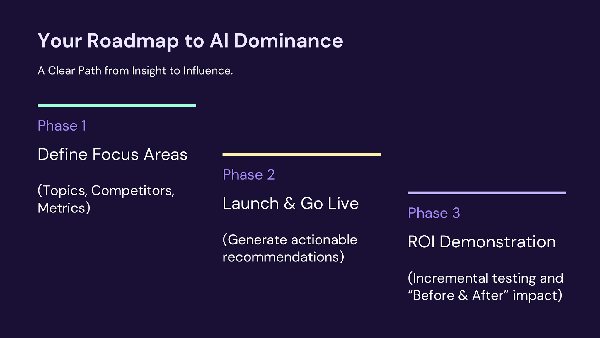
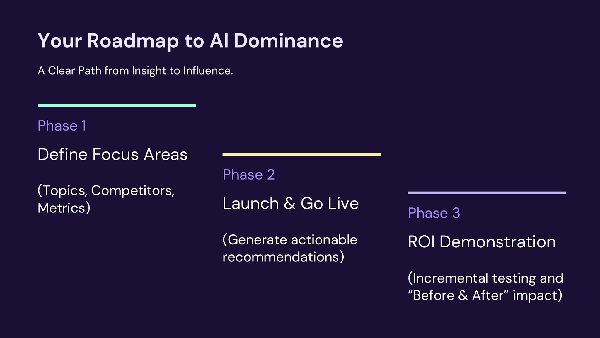
    Roadmap from defining focus areas to growth and ROI

    Every time you add, remove or reword a core prompt, add a line:

    DatePrompt IDChangeReason
    2026-11-03P-022RemovedClient stopped offering this service
    2026-11-03P-031AddedCame up in three sales calls in October
    2026-12-01P-009RewordedMerged with a variant from GSC

    When you report a trend, compare only the prompts that existed in both periods.

    Step 6: How do you turn tracking results into content?

    Content gap analysis comparing a selected topic with competing sources

    Look at the prompts where you’re missing, read the full AI answers, and decide what kind of action each gap needs: a new FAQ, a new section on an existing page, a new page, or outreach to a site that’s already cited. Tracking only pays off when it leads to specific work.

    Start with the gaps, then read the answers

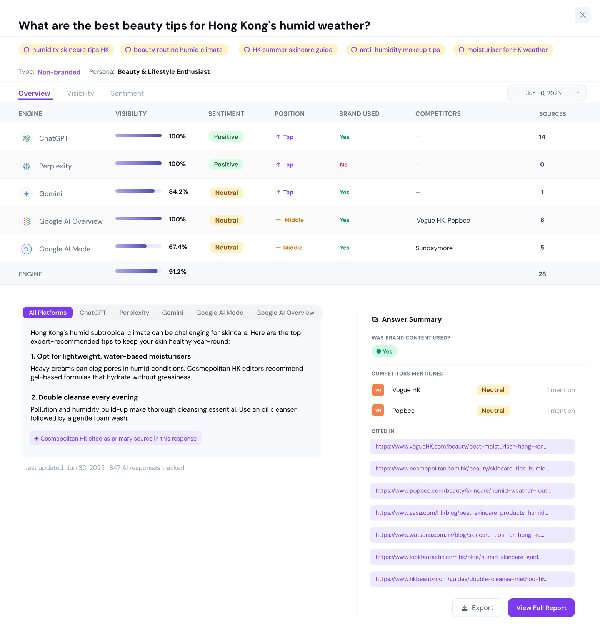
    Question detail with an AI answer and citations for investigating a visibility gap

    We usually start from the gap analysis, not the overall score. Find the prompts where competitors appear and you don’t. Group them by category. Then open the actual answers.

    The answer shows you how the AI engine broke the topic into parts, what it chose to say, and which pages it pulled each part from. That’s your brief.

    Before committing resources, check whether you have a realistic chance. If every cited page comes from a very high-authority site, that prompt may be a long-term goal rather than a quick win. In our October 2026 analysis of 9,779 citations, 34.2% went to pages with Domain Authority under 25 and fewer than five backlinks. Smaller sites can win, but not on every prompt.

    Route each gap to the right kind of work

    Content optimization table with page-level metrics for prioritizing work
    What the gap looks likeBest action
    A short, specific question related to a page you already haveAdd an FAQ to that page
    A sub-topic your page doesn’t coverAdd a new section to the existing page
    A different buyer task altogetherCreate a new page
    AI keeps citing a third-party site (a directory, publisher, forum or review site)Outreach, PR or a listing on that site

    Where query fan-out fits

    Clear-answer content guidance

    AI engines often break one prompt into several related searches to build their answer. This is called query fan-out. Tools can simulate it, and some agencies use those generated questions as prompts to track.

    We use fan-out differently. Fan-out questions are an AI engine’s guesses about what it needs to research. There’s no search volume or customer evidence behind them. So we don’t treat them as proof of demand. We use them as content planning input: sub-topics a strong page should cover. Then follow an answer engine optimization workflow to turn the report into an action plan for the pages and sources that need work.

    Google’s own guidance backs this up. It describes fan-out, but warns that creating separate pages for every possible query variation, mainly to influence AI answers, can count as scaled content abuse. Group related needs into one useful page. Don’t build a page for every wording.

    How many prompts should you track?

    Phased roadmap from focus areas to growth and ROI

    For a pitch or first project, 25 to 30 prompts on one product in one market is usually enough to show a clear picture. For ongoing tracking, the right number depends on how many categories, markets and engines you cover, and how much content you can actually produce in response. Track what you can influence.

    The tourism agency asked us this directly: what’s a “good threshold” for analysis, and how many prompts do you need for “statistical power”?

    There’s no universal number. But here’s how we think about it:

    • For a pitch: pick one product, one market, and split prompts across early research and buying questions. 25 to 30 prompts is enough to show contrast and depth.
    • For a focused campaign: cover every category you’ll report on with enough prompts to compare category averages. One prompt per category isn’t enough to say much. Agencies usually grow into this: Digital Zoo started with a pilot in August and had grown its tracked prompts about 5x across its clients by mid-October.
    • For large brands: a brand with hundreds of pages and a strong content team might track a few hundred core prompts per market. A global brand across several markets can reach tens of thousands.

    The key question is capacity. If a client has a small site and no content budget, tracking 2,000 prompts is wasted money. Focus on the prompts you can act on now, fix those, then move to the next set. Most clients will back a phased plan like that.

    Whatever number you choose, write down what your set covers and what it leaves out.

    How often should you review prompt tracking results?

    Competitor visibility trends over time supporting a regular review cycle

    Collect data often, but review on a fixed cycle. Many tools now collect answers daily, which helps smooth out the day-to-day variation in AI answers. For most agencies, a monthly review of trends and gaps is a good rhythm, with deeper content analysis monthly or quarterly. A 90-day GEO workflow gives those reviews a practical sequence.

    AI answers vary, even for the same prompt on the same day. Don’t react to a single result. Look for patterns across several collections, and always compare the same core prompts under the same conditions.

    Example: from 0% to 7% visibility with a targeted prompt set

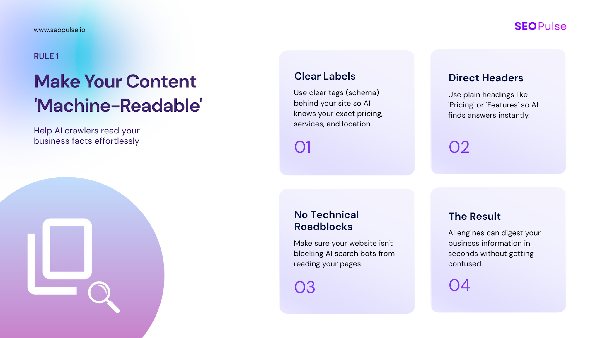
    Machine-readable content guidance illustrating the technical accessibility issue

    Tenfold AI is a legal technology brand targeting Taiwan in English and Traditional Chinese. When tracking started, their AI visibility was 0%, with an average AI engine rank of #50.

    See Tenfold AI’s prompt tracking results and the pages the team prioritised.

    Here’s what happened:

    1. Technical fix. An audit found rendering issues that kept AI crawlers from reading the site. Once fixed, visibility moved to 1%.
    2. Targeted content. Gap analysis identified prompts where Tenfold had a realistic chance of being cited. The team created or updated 10 pages across both languages.
    3. Result. Visibility reached 7%, and average AI engine rank moved from #50 to #28.

    It’s one brand, not a promise. But it shows the point of a well-built prompt set: it told the team exactly which pages to fix and create, in which languages.

    Where SEOPulse fits

    SEOPulse platform overview introducing tracking, optimization and brand monitoring

    We built SEOPulse around this workflow. You can add and edit your own prompts, organize them by category and intent, and filter results by category, market and engine. For every prompt, you see the full AI answer, the exact URLs cited and which competitors appeared. Gap analysis shows the pages AI cites instead of yours, so you can turn a missing prompt into a brief. Compare AI visibility tools against the workflow you need. See how prompt tracking and citation analysis work in the dashboard.

    Use those briefs to optimize content for AI search around the buyer questions you are tracking.

    Each brand workspace can track multiple markets and languages, including English, Traditional and Simplified Chinese, Japanese and Korean, so you can run the same matrix for clients in Singapore, Sydney or Seoul. And when the gaps outrun your team’s writing time, SEOPulse’s white-label content service turns Deep Dive briefs into finished pages, delivered unbranded. We track prompts in any market and language, so you can run the same matrix for clients in Singapore, Sydney or São Paulo.

    Frequently asked questions

    Prompt tracking is running a fixed set of buyer questions through AI engines like ChatGPT, Gemini, Perplexity and Google’s AI features, and recording whether your brand is mentioned, which URLs are cited and which competitors appear. It’s the AI search equivalent of rank tracking.

    No tool can show you every prompt real users type into AI engines. The most reliable approach is to start with questions you have evidence for: sales calls, customer inquiries, FAQs, Search Console queries and People Also Ask. Label the source of each question so you know how strong the evidence is.

    Not currently. Google’s generative AI reports in Search Console, which began rolling out in June 2026, show impressions, pages, countries and devices for AI Overviews and AI Mode, but not the queries behind them. Use the regular Performance report to find question-style queries.

    A keyword is a short search term, like “prompt tracking tool”. A prompt is a full question, often with context, like “What’s the best prompt tracking tool for an agency with clients in three countries?” Prompts show you how AI describes and recommends you, not just where you rank.

    For a pitch or first project, 25 to 30 prompts on one product in one market is usually enough. For ongoing tracking, cover each category you’ll report on and keep the total to what your team can act on.

    Use fan-out for content ideas, not as proof of demand. Fan-out questions are generated by the AI engine itself, with no search volume or customer data behind them. They’re useful for deciding which sub-topics a page should cover.

    Create a category dictionary that lists each topic once with its aliases. For example, Xiaohongshu and Little Red Book are the same platform and should sit in one category. Splitting them weakens your data and makes results harder to read.

    Category averages. An overall visibility score can hide the fact that you’re strong in one area and absent in another. Category-level results show you where to act.

    Keep a stable core set of prompts, only compare core prompts across periods, and log every change you make to that set. Test new ideas in a separate exploratory set.

    Put your prompt matrix to work

    SEOPulse AI visibility health-check invitation for the next step

    See where you stand first. Run SEOPulse’s free brand scan at app.seopulse.io/brand-scan to see your visibility across five AI engines and which competitors show up instead. It’s a one-off snapshot, not ongoing tracking.

    Ready to track your matrix? View SEOPulse pricing and prompt limits and choose a plan for the buyer questions and markets you want to monitor.

    Still choosing a tool? Read our guide to the best AI visibility tools or our Otterly alternatives comparison.

    Sources

    • SEOPulse, GEO & AI Search Benchmark: 755 buyer prompts and 6,811 AI answers across ChatGPT, Perplexity, Gemini, Google AI Overviews and Google AI Mode. Data collected 16 August 2026.

    • SEOPulse, Citation Analysis, October 2026: 9,779 citations across 50 buyer and search queries, plus engine-level source analysis.

    • SEOPulse, Tenfold AI case study (client-reported).

    • SEOPulse conversations with agency partners and clients, 2026.

    • Google Search Central:
      Optimizing for generative AI features in Google Search

    • PPC Land:
      Google gives Search Console its own generative AI visibility reports
      (June 2026)
    ABOUT THE AUTHORS
    Jessica Lam Hill Young
    Content Lead

    Jessica leads content at SEOPulse: product-led content, SEO strategy, AI citation strategy and thought leadership.

    Lawrence Lo
    Founder and CEO

    An APAC growth operator who has worked across agency networks (OMD, PHD) and in-house at brands including Mox, Marriott and TransUnion. He has been doing SEO since the early days of the web, and built the first version of SEOPulse inside his own agency.

  • Best Otterly Alternatives in 2026: 5 Tools Compared

    TOOLS19 min readLast updated 29 October 2026

    Best Otterly Alternatives in 2026: 5 Tools Compared

    Written by
    Jessica Lam Hill Young
    Content Lead
    Strategy review
    Lawrence Lo
    Founder and CEO
    Technical review
    Tom Lai
    Founder and CPO

    Thinking of leaving Otterly? Compare 5 alternatives by engine coverage, pricing and the cons real users report, then run a fair pilot before you switch.

    Best Otterly
    alternatives in 2026
    ChatGPTGeminiPerplexity
    Free: run a brand scan to see where your client stands →

    Otterly is a good tool. It’s affordable, quick to set up, and it taught a lot of agencies what AI visibility even means. One user testing it called it “pretty clear and easy to use. Definitely more structured than just screenshotting results.”

    Agencies don’t usually leave Otterly because it’s bad. They leave because their needs have grown.

    A client wants Gemini covered without paying for an add-on. The team needs Traditional Chinese, Japanese or Korean prompts tracked properly. Or the client has seen the report and is asking the question we hear a lot:

    “How do we turn AI search visibility reports into action plans and ROI for B2B clients?”

    The five alternatives below differ most on engine coverage, client reporting and how quickly they get you from a report to a content brief. Each one also has cons that real users report, and a way to test it before you commit. For a broader shortlist, compare AI visibility tools across the market.

    DISCLOSURE
    we make SEOPulse, and it’s one of the five. We’ve included the cons users report for every competitor, and the trade-offs for our own tool. Check all of it in your own pilot.

    Why do agencies look for an Otterly alternative?

    Agencies usually leave Otterly for four reasons: engines that cost extra, price jumps between tiers, insights that don’t turn into actions, and smaller frustrations that add up across clients. Each one comes up repeatedly in public user reviews.

    1. Engines cost extra

    Otterly includes ChatGPT, Google AI Overviews, Perplexity and Microsoft Copilot on every plan. Google AI Mode, Gemini and Claude are paid add-ons. On the Premium plan, AI Mode and Gemini cost an extra $149/month each, and Claude costs $439/month.

    That matters more than it sounds. In SEOPulse’s August 2026 benchmark of 6,811 AI answers across five engines in Hong Kong and Singapore, the engines picked the same top vendor just 1.5% of the time. If your client’s buyers use Gemini, a report without Gemini only shows you part of what they see.

    2. The price jumps between tiers

    Plans run from $29/month for 15 prompts, to $189 for 100, to $489 for 400.

    One SEM specialist on G2 wrote: “The jump to €189/month for the Standard tier feels like a bit of a stretch” (June 2026). Two mid-sized companies said they had to defend the cost internally before buying.

    3. Insights don’t always lead to actions

    A content strategist on G2 said “it’s not always clear what specific actions should be taken based on the findings” (June 2026).

    On Reddit in October 2026, a current Otterly user was blunter about the content suggestions: “Listicle after listicle, competitive article after competitive article. Just useless ideas chasing prompt after prompt.”

    4. Smaller frustrations add up across clients

    G2 reviewers mention:

    • Sentiment scoring that’s “hyper-sensitive”
    • Data that takes a while to populate
    • An interface that “can feel cluttered when you have a lot of prompts and tracks going”

    One reviewer in a niche industry said “the amount of data can be limited.”

    Should you stay with Otterly?

    It’s still a sensible choice if:

    • Your clients mostly need the four included engines
    • Budgets are small
    • Your team already uses it every week

    One user said Otterly’s insights “shaped how I plan episodes, choose guests, and refine story angles.” That’s the kind of everyday use that’s worth keeping.

    As one agency leader told us: “they pay for it. They don’t use it.” A tool your team actually uses beats a better one they ignore.

    Otterly alternatives compared at a glance

    Otterly (benchmark)SEOPulsePeec AIProfoundScrunch AISemrush AI Visibility Toolkit
    Best forAffordable monitoring for small teamsAgencies serving Asian markets that need content briefs from citation data, across languagesSelf-serve analytics for marketing teams and agenciesEnterprise brands and large agency programsTeams wanting many engines plus fixes to how their site serves AIAgencies already on Semrush
    EnginesChatGPT, AI Overviews, Perplexity, Copilot; AI Mode, Gemini and Claude cost extraChatGPT, Perplexity, Gemini, Google AI Overviews, Google AI Mode; DeepSeek, Qwen, Kimi and ERNIE with the Chinese LLM pack (US$3 per prompt)Choose 3 from ChatGPT, AI Mode, AI Overviews, Copilot, Gemini, Naver AI; more cost extraUp to 9 on Enterprise, including Claude, Copilot and DeepSeekChatGPT, Claude, Gemini, Perplexity, AI Mode, AI Overviews, MetaChatGPT and Google AI Mode
    Prompts15 / 100 / 40025 / 100 / 250 (Starter / Pro / Agency); Custom above 1,000; Agency covers up to 10 client workspaces50 / 150 / 350Custom; agency plan uses credits350 / 70025 (50–200 with Semrush One)
    Markets and languages50+ countriesAsia-first: any market and language, including Chinese, Japanese and Korean; answers collected as a real user in that locationAny supported country or language at no extra costCustom on EnterpriseNot listed on pricing pageRegional or worldwide views
    Exports and reportingExports; Looker Studio and API from StandardTable-by-table downloads; view-only client sharing of a workspace; full data export in developmentCSV, Looker Studio, MCP; API on EnterpriseCSV/JSON and API on EnterpriseIntegrations; Data API on EnterpriseInside Semrush
    Starting price$29/monthFree brand scan; Starter US$49/month; Agency US$299/monthFrom $80/month (billed annually)Custom$300/month ($250 billed annually)$99/month
    TrialFree trialFree self-serve brand scanFree trial7 days, 50 fixed prompts7 days, no cardNone
    Top consTier price jump; repetitive content suggestionsNo Claude or Copilot yet; exports still developingEngines behind paywalls; prompt curationPrice; overwhelming dataExports for client reportsFew engines; manual analysis

    Pricing and features taken from each vendor’s official pricing page on 10 October 2026. These change often, so recheck before you buy.

    Comparing prices fairly: a monthly fee only means something next to the workload it covers. Price the same job in every tool: the same prompts, engines, markets and seats. A $99 plan covering two engines isn’t cheaper than a $250 plan covering seven if your client needs all seven.

    The five alternatives: who each suits, and what users flag

    1. SEOPulse: best for turning AI visibility data into content briefs

    Best for: agencies whose clients keep asking “what next?”, especially agencies serving clients across Asia, in more than one market or language. See the AI visibility workflow for agencies before planning a pilot.

    Explore SEOPulse’s AI search tracking features to see the monitoring and report-to-brief workflow.

    Why agencies switch to it:

    • The step after monitoring. SEOPulse started life as a content audit tool, so it goes further than tracking. For every tracked prompt, you see the full AI answer, the exact pages it cited and which competitors appeared.
    • Gap analysis that feeds the brief. For each prompt where your client is missing, you get:
      • the pages AI cites instead
      • their headings, keywords and number of content sections
      • their use of images, video, tables and schema
      • a “permission to win” view, based on the cited pages’ authority and backlinks, which shows how realistic the prompt is for your client to win
    • Answers from real users, not API approximations. Answers are collected by simulating real users in the market you choose, across Asia-Pacific markets such as Hong Kong, Singapore, Japan, Korea and Taiwan, with full support for Chinese, Japanese and Korean prompts. API results can differ from what a local user actually sees.
    • Hidden-gem sources. The citations view labels each source as third party, competitor or brand-owned, and surfaces smaller sites that are easier to pitch than the big names.
    • Flexible ways to start. There’s a free self-serve brand scan for a quick snapshot and self-serve plans and pricing from US$49/month (Starter, 25 prompts) to US$299/month (Agency: 250 prompts across up to 10 client workspaces, with view-only sharing for clients). Deep Dives cost US$2 per prompt on any plan.
    • White-label content. If the bottleneck is writers, SEOPulse’s content team turns Deep Dive briefs into finished, AI-ready pages (answer-first structure, FAQ schema, localisation into Asian languages), delivered unbranded so you can hand them to clients as your own.

    The trade-offs:

    • Five engines today. Claude and Copilot are on the roadmap but not live yet.
    • Exports are still developing. You can download data table by table, but a full data export is still in development.
    • Fewer public reviews. SEOPulse is newer, so there’s less independent feedback to read than for the bigger names. In Digital Zoo’s agency results, the agency reports 5x growth in tracked prompts in two months and says its clients chose SEOPulse for ease of use and cost.

    Try SEOPulse’s free brand scan on a client’s brand before choosing your next AI visibility tool.

    Then take one prompt your client is missing from, and time how long it takes to get from the gap to a brief your writers could start on.

    2. Peec AI: best for a self-serve analytics workflow

    Best for: marketing teams and agencies that want a dedicated AI search analytics tool their analysts can start using quickly.

    Why agencies switch to it:

    • Plans and pricing: every prompt is tracked daily, every plan includes unlimited users, and tracking extra countries and languages costs nothing more.
    • Agency features: bundles let you share prompts across client projects.
    • Research: one user who tried both said “I tried Otterly and really liked it but found that Peec AI was better for research.”
    • Reporting: another uses it to “spin up custom reports — simple or complex — without exporting CSVs and rebuilding dashboards.”

    What users flag:

    • Engines behind paywalls. Starter, Pro and Advanced each let you choose three engines. An enterprise reviewer on G2 named “the subscription wall between seeing all AI models” as their main dislike (August 2026). A three-month hands-on review found that “multi-platform tracking can get expensive.”
    • Prompt curation takes work. One LinkedIn user said Peec “does what it says but you need to put effort into curating the tracked prompts.” A G2 reviewer found “40% of the prompts were overlapping.”
    • Analysis can be manual. A head of organic strategy said “the gold often comes from exports and lots of manual filtering” (March 2026). Others still rely on Semrush for prompt volume.
    • Doubts about the recommendations. “I don’t trust it yet on the recommendations will truly move the needle” (G2, August 2026).
    • History starts when you start tracking. You can’t look back before your first day in the tool.

    What to test: set up your real client prompts and count how many you have to rewrite or remove. Then check that the engines your client needs fit within your plan.

    3. Profound: best for enterprise programs that need breadth and depth

    Best for: enterprise brands and larger agency teams with big budgets, several markets and complex reporting.

    Why agencies switch to it:

    • Coverage and data: Enterprise covers up to nine engines, including Claude, Copilot and DeepSeek, with custom languages and regions and full data history.
    • Exports: CSV/JSON exports and API access are included.
    • Content workflows: Profound adds AI agents and content workflows.
    • Agency plan: agencies can use a self-serve Agency Growth plan priced in credits per client workspace.

    One Reddit reviewer called it “very comprehensive, particularly around citations, visibility and understanding how AI systems talk about a brand.”

    What users flag:

    • Price is the most common complaint by far. The same Reddit reviewer added: “The downside is obvious: it’s expensive.” On G2, reviewers call it “one of the most expensive tools on the market” (May 2026). Another says it’s “very expensive and complex, which can make it hard for smaller businesses” (September 2026).
    • Too much data to digest. “My main complaint is the sheer volume of data” (G2, October 2026). On LinkedIn, one tester found the interface “a bit clunky/overwhelming at first.” A Reddit user who tested 12+ tools put it more bluntly: “Profound and Otterly were just too confusing for me.”
    • Hard to test properly. The current trial runs 50 fixed prompts for seven days, so you can’t test your client’s real prompts before you pay.
    • Reporting limits. Reviewers want more customization, better exports and more frequent data updates.

    What to test: ask for a pilot on one real client brief. Time how long your analyst takes to get from the dashboard to a usable recommendation, and get the full cost in writing.

    4. Scrunch AI: best for broad engine coverage plus fixes to how your site serves AI

    Best for: teams that want to measure AI visibility and fix how their site is delivered to AI agents in the same place.

    Why agencies switch to it:

    • Engines: all plans cover seven engines, including Claude and Meta, so there are no engine add-ons.
    • Page audits: plans include page audits with suggested fixes.
    • AXP: Scrunch’s Agent Experience Platform creates an AI-friendly version of your site.
    • Source detail: an agency that compared it with Profound on Reddit said Scrunch let them “see which exact pieces of content LLMs were pulling from.” Another user replied that Profound shows this too, so test both.

    What users flag:

    • Client reporting is the clearest pain point for agencies. One G2 reviewer said some features “don’t support exporting, which limits our ability to deliver that information directly to our clients.” Another said: “Right now, we screenshot them to include in reports.”
    • Models locked behind higher tiers. “Certain models are locked behind higher tiers, which wasn’t made clear upfront” (G2, April 2026).
    • Price for small teams. “It is pretty expensive right now,” said one small agency. Another reviewer asked for “a lighter plan for solo folks.”
    • Accuracy and setup:
      • An enterprise reviewer said: “Sometimes the system says we are not mentioned but our brands are in the results.”
      • Others mention needing four weeks of data before you have a baseline.
      • Connecting the agent traffic tool to clients’ CMSs was “difficult.”
    • AXP needs serious setup. In a post sponsored by Scrunch, a tester noted that “the full bot-serving layer is enterprise-only and needs a CDN setup.”

    What to test: build the client report you’d actually send each month. If you end up screenshotting the dashboard, count that time into the real cost.

    5. Semrush AI Visibility Toolkit: best for agencies already on Semrush

    Best for: agencies whose SEO team already works in Semrush every day.

    Why agencies switch to it: your team doesn’t have to learn a new tool. One Reddit user who tested 12+ tools chose Semrush because “I was already using Semrush for SEO reporting so it made the most sense.”

    Setup is quick too. A Semrush partner said the tool “just asked for my URL and populated everything.”

    What users flag:

    • Narrow engine coverage. Prompt tracking covers ChatGPT and Google AI Mode only. A client whose buyers use Perplexity or Gemini will need a second tool.
    • Turning data into tactics takes manual work. A Reddit user who tried an earlier version of the add-on said they “have to manually extract data to make something useful for tactics.” A hands-on reviewer said the recommendations “feel broad and could apply to many businesses.”
    • Questions about historical data. In June 2026, a Reddit user said that when they reran a historical report, “Same period, different export date, entirely different output.” That’s one user’s account, not a confirmed widespread problem. It’s still worth asking about, because client reporting depends on past numbers staying the same.
    • Small allowance and add-on costs. The $99 toolkit includes 25 tracked prompts and has no free trial. Semrush reviewers often mention “additional costly add-ons.”

    What to test: check whether two engines and your prompt allowance cover your clients’ actual buying journeys. Then rerun an old report to see if the numbers hold.

    Can you prove the numbers? The question that decides most switches

    The tool you switch to should show the full AI answer, how it was collected and the cited URLs behind every score. Sooner or later, a client will check ChatGPT on their phone, see something different from your report, and ask why.

    In 2026, an agency user posted on Reddit that their client thought they were “making up numbers.” The CEO had typed a prompt into ChatGPT on his phone and didn’t see the brand the dashboard said was visible. The agency liked the tool’s interface but wrote: “if I can’t prove the results are real, I’ll simply lose this contract.”

    The vendor replied in the thread that its data comes from browser-level simulation of real users, and that API data is available on request. We can’t say who was right. But the problem is common.

    A brand adviser we spoke with described the same feeling about AI visibility reports in general: “Sometimes I look at two, and sometimes I’m not sure who’s right.”

    AI answers change from run to run, from market to market, and between engines. One person checking on their phone sees one answer at one moment. A tool samples many answers, so the two will rarely match exactly.

    So the tool you switch to needs to let you show your working. Ask every vendor:

    • Can I see the full AI answer behind every score, not just the percentage?
    • How are answers collected? API calls, browser simulation or real user sessions? From which country?
    • Do you track mentions and citations separately? In SEOPulse’s benchmark, 53.4% of answers mentioned a tracked brand, 34.2% cited its website, and only 10.0% did both. A combined score can hide which one is moving.
    • Do historical reports stay the same when I rerun them?
    • How often is the data refreshed, and how far back can my client see?

    If a tool can’t answer these clearly, your client conversations will get harder, not easier.

    The real test: can you get from a report to a content brief?

    Most tools answer the question “how visible are we?” The switching question is whether a tool helps your team decide what to create next.

    Here’s the workflow we’d test in every tool on your shortlist. It’s how one influencer marketing agency in Hong Kong worked through its first AI visibility report with us.

    1. 1
      Filter by category, not the overall average. The agency was visible in 11% of answers across 22 Hong Kong prompts. That number hid the real story. They were strong on one broad “top agency” question and absent on specific ones about nano, micro and lifestyle influencers. As they put it: “The overall average doesn’t mean much, but the category average is more meaningful.”
    2. 2
      Find the prompts where you’re absent. These are your gaps. Group the prompts that serve the same buyer need.
    3. 3
      Judge your chances before you write. Look at the pages AI cites for each gap. If they’re on huge domains with thousands of backlinks, a newer brand may want to start elsewhere. If Reddit or YouTube dominate, the opportunity may be there instead.
    Smaller sites do get cited. In SEOPulse’s October 2026 analysis of 9,779 citations, 34.2% went to pages with Domain Authority under 25 and fewer than five backlinks. That share was 44.8% on Gemini and 26.9% on Google AI Mode.
    1. 4
      Read the actual answers. Note what information AI pulls, which sources it trusts, and how the cited pages are structured. In the same analysis, about one in three cited pages included a data table.
    2. 5
      Write the brief. Include headings, the information sections the page needs, reference pages to study (not copy), and the evidence only your client can provide.

    The agency came out with two clear actions:

    • Refresh their outdated Xiaohongshu (Little Red Book) content, much of which dated from 2018–19
    • Write a new page on Xiaohongshu advertising, a topic they had no content on

    They also spotted a regional marketing publication in their citations that they’d worked with before. That became their first outreach target.

    Other tools can support parts of this workflow. One agency strategist described a similar process in Peec: tagging prompts by use case, filtering cited sources down to listicles, and finding where competitors were cited and their client wasn’t. What matters is how many steps your team has to do by hand.

    Why the order matters: Tenfold AI, a legal tech brand selling in Taiwan in English and Traditional Chinese, started at 0% AI visibility.

    Read the Tenfold AI case study to see the technical and content changes in sequence.

    • Fixing a rendering problem that kept AI crawlers out moved it to 1%.
    • Ten targeted pages, chosen from gap analysis, took it to 7%.
    • Its average position in AI answers moved from #50 to #28.

    It’s one brand in one market, so it’s not a promise. But it shows the order to work in: fix access first, then build the pages AI is looking for.

    How to run a fair switching pilot

    Don’t switch on a demo. Run the same job in each shortlisted tool. Use the prompt tracking workflow to track the same prompts across tools.

    1. 1
      Pick one real client, one market and 25–30 prompts. That’s enough to see contrast, and small enough to inspect properly. Split them between early research questions and ready-to-buy questions.
    2. 2
      Lock the prompt list. Use the same prompts, engines and market in every tool.
    3. 3
      Compare the answers, not just the scores. Open the same prompt in each tool and check the answer and cited URLs.
    4. 4
      Time the brief. How long does it take to get from data to a brief your writers could start on?
    5. 5
      Build the client report. Can you export it, or will you be screenshotting?
    6. 6
      Count the full cost. Include the subscription, engine add-ons, onboarding, and your team’s hours on prompt curation and analysis.
    7. 7
      Ask your team. Would they open it every week?

    Plan your migration: historical data almost never transfers between tools. Changing prompts in the same tool resets your trend lines too. Export your Otterly history before you cancel. Run both tools side by side for a few weeks if you need a before-and-after for a client.

    Staying with Otterly, or using it alongside a second tool, is a perfectly valid result.

    Which Otterly alternative should your agency choose?

    • Small agency, tight budget, mostly English-language clients: Otterly may still be right. Add a second tool only for the engines or markets it misses.
    • Clients across several Asian markets and languages: shortlist SEOPulse and Peec, and test local-language prompts in each market.
    • Enterprise clients with strict reporting and security needs: shortlist Profound and Scrunch, and check SSO, data history and exports.
    • Team already committed to Semrush: start with the Semrush toolkit, then check which engines are missing.
    • Clients keep asking “what next?”: prioritize the tool that gets you from report to brief with the fewest manual steps.

    5 mistakes agencies make when switching

    • Switching for features instead of fixing the reason you left. Name the problem first.
    • Judging a tool on demo data. Use a real client’s prompts.
    • Trusting the overall average. Filter by category and market before you compare.
    • Forgetting your history. Export it before you cancel.
    • Reading star ratings at face value. Several tools’ G2 reviews arrived in bursts: seven Otterly reviews were posted between 15 and 18 October 2025, and four Peec AI reviews on 18 March 2026. Bursts like that usually mean the vendor asked customers for reviews. Read the complaints, not just the stars.

    Frequently asked questions

    There isn’t one best alternative. It depends on why you’re leaving: For broader engine coverage: Scrunch AI or Profound; For a self-serve analytics workflow: Peec AI; To stay in your SEO suite: Semrush; For content briefs built from citation data, across Asian markets and languages: SEOPulse

    Most tools offer a trial or a free scan rather than a permanently free plan. SEOPulse offers a free self-serve brand scan. A free scan shows where a brand stands today. It doesn’t replace ongoing tracking, which shows how visibility changes over weeks and months.

    A lightweight checker shows whether a brand appears for a handful of prompts at one point in time. An enterprise platform tracks hundreds or thousands of prompts across several engines, markets and competitors over time. It usually adds deeper analysis, exports and security features.

    AI answers change between runs, markets and engines, and one person’s check is a single sample. Choose a tool that lets you open the full answer behind every score and explains how and where it collects answers.

    Usually, yes. History rarely transfers between tools. Export what you need before you cancel, and expect your new tool’s trend lines to start from scratch.

    For a pilot or a pitch, 25–30 prompts on one product or service in one market is usually enough. For ongoing tracking, track what your client can actually influence, and keep a core set of prompts locked.

    A mention is when an AI answer names your brand. A citation is when it links to a specific page as a source. They often don’t happen together, so check that your tool reports them separately.

    No. Compare the same workload across tools, and include your team’s time. A cheap tool that still leaves hours of manual analysis can cost more in the end.

    Test it on a real client question

    The fastest way to choose is to run one real client question through your shortlist.

    Start with a free brand scan. Run SEOPulse’s self-serve brand scan at app.seopulse.io/brand-scan for a quick snapshot of where a brand stands across five AI engines, and which competitors show up instead. It’s a starting point, not ongoing tracking.

    Want to use the report-to-brief workflow on your own client? Compare SEOPulse plans and pricing for the prompts, markets and client workspaces you need.

    Choosing your first AI visibility tool rather than switching? Read our broader guide: Best AI Visibility Tools for Tracking Brand Mentions and Citations.

    Sources

    ABOUT THE AUTHORS
    Lawrence Lo
    Founder and CEO

    An APAC growth operator who has worked across agency networks (OMD, PHD) and in-house at brands including Mox, Marriott and TransUnion. He has been doing SEO since the early days of the web, and built the first version of SEOPulse inside his own agency.

    Tom Lai
    Founder and CPO

    A tech lead with more than ten years of engineering leadership, scaling high-load systems and running technical audits. Tom architected the SEOPulse engine: the data pipelines that collect AI answers as real users see them and turn citations into clear next steps.
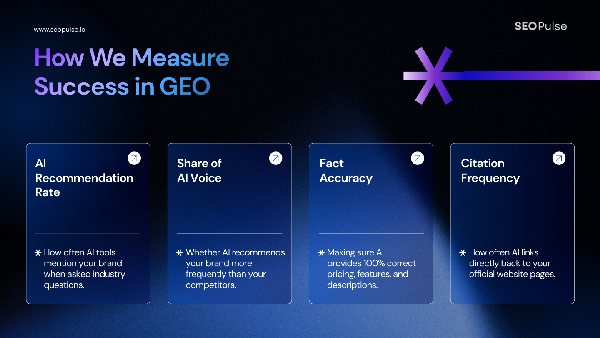
  • Free AI Search Visibility Audit Tool: Check Your Brand Now

    AEO15 min readLast updated 12 October 2026

    Free AI Search Visibility Audit Tool: Check Your Brand Now

    Written by
    Jessica Lam Hill Young
    Content Lead
    Strategy review
    Lawrence Lo
    Founder and CEO
    Technical review
    Tom Lai
    Founder and CPO
    Free AI search
    visibility audit
    ChatGPTGeminiPerplexity
    Free: run a brand scan to see where your client stands →
    QUICK ANSWER
    AI search visibility is how often AI engines like ChatGPT, Perplexity and Gemini mention, cite or recommend your brand when people ask about your industry. You can check yours for free in a few minutes with SEOPulse’s Brand AI Visibility Scan.

    Your website ranks on Google. But when a customer asks ChatGPT “Who’s the best [your service] in [your city]?”, your brand doesn’t come up. Your competitors do.

    We hear it on almost every call. Brands are asking their agencies “Are we showing up in ChatGPT?”, and most teams aren’t sure how to check.

    SEOPulse’s free brand scan takes four screens: your details, your region, 5 to 8 buyer questions and 3 to 5 competitors. A few minutes later, it shows who AI recommends instead of you and which websites it trusts.

    StepWhat you doWhat you leave with
    1Enter your detailsYour scan set up for the right website
    2Choose your regionResults that match where your customers are
    3Add up to 8 promptsA focused set of buyer questions
    4Add 3–5 competitorsA fair benchmark to measure against
    5Read your resultsYour score, competitors and the sources AI trusts
    6Diagnose the causeA clear next action

    What is AI search visibility?

    AI search visibility measures whether your brand appears in AI-generated answers. It’s different from SEO because there’s usually one answer, not a list of results to rank in.

    In SEO, you track where a page ranks for a keyword. In AI search, your brand is either in the answer or it isn’t.

    AI engines show your brand in two ways:

    OutcomeWhat it meansWhat it doesn’t prove
    MentionAI names your brand in the answerThat your website is linked
    CitationAI links to your page as a sourceThat AI recommends you

    These rarely happen together. In August 2026, we ran 755 buyer questions through five AI engines. Across 6,811 answers:

    • 53.4% mentioned a tracked brand
    • 34.2% included that brand’s website in their sources
    • Only 10.0% did both

    That’s why a useful check tracks mentions and citations separately.

    What does a free AI visibility audit actually check?

    SEOPulse’s free brand scan checks whether AI engines mention and cite your brand for the questions you choose. It doesn’t check whether AI bots can technically read your website. That’s a separate test, and we show you how to do it below.

    Many free “AI visibility checkers” mix these two tests together. Knowing which one you’re running saves a lot of confusion.

    The free scan checksIt doesn’t check
    VisibilityWhether AI mentions or cites your brand for up to 8 questionsEvery question your customers might ask
    CompetitorsHow you compare with the 3–5 competitors you chooseYour full competitor set across every market
    SourcesWhich websites AI uses to answer your questionsHow answers change over time
    Your websiten/aWhether AI bots can read your pages (you can check this yourself in 5 minutes)

    In short, the scan answers “Does AI recommend us?” If the answer is no, the rest of this guide helps you work out why.

    How to run the free scan: screen by screen

    SEOPulse’s free brand scan has four short screens and takes a few minutes to complete. Have these ready before you start:

    • Your brand name and website
    • A work email (one free scan per email address)
    • The region you want to check
    • Up to 8 buyer questions
    • 3–5 competitors

    Screen 1: Enter your details

    Enter your first name, last name, brand or company name, website and work email.

    TIP
    use the website your customers actually land on. If you have separate sites or sections for different markets (like /en-sg/ or /fr-ca/), use the one for the market you’re checking.

    Can I test a client’s or prospect’s website? Yes. Enter any brand and website here. Agencies often use this to check a prospect before a pitch.

    Screen 2: Choose your region

    Pick the market where your customers are. AI answers change by location.

    SEOPulse free brand scan, Screen 2. What to notice: you’re choosing where the AI answers are collected from, not where your business is registered.

    Someone asking “best accounting firm for startups” in Singapore gets different recommendations from someone asking in London or Sydney.

    TIP
    if you serve several markets, start with your most important one.

    Screen 3: Add up to 8 prompts

    Prompts are the AI version of keywords: full questions your customers ask, not short phrases. Prioritise questions asked by people who are ready to buy.

    Use our prompt tracking workflow to choose buyer questions that reflect real decisions.

    SEOPulse free brand scan, Screen 3. What to notice: each prompt is a complete question, written the way a real customer would ask it.

    Instead of “commercial cleaning Brisbane”, you’d track “Who are the best commercial cleaning companies for offices in Brisbane?”

    With only 8 slots, choose carefully:

    1. Start with buying questions. These are questions where someone is choosing a provider:

    • “What are the best [category] companies in [city]?”
    • “Which [category] provider is best for [type of customer]?”
    • “Is [your brand] worth the price?”

    They’re harder to win, but they’re where your customers are. In our benchmark, company blogs supplied 23.4% of the sources AI cited for ready-to-buy questions, slightly more than the 20.8% for early-research questions. Blogs that compare and recommend get pulled into buying answers too.

    2. Add one or two problem questions. These are questions customers ask before they know who to hire, like “How often should an office be professionally cleaned?”

    3. Add real-life context. Real people add who they are (“for a small law firm”), their budget (“under $500 a month”) and their location (“in Hong Kong”). These details make prompts realistic, and they’re often where smaller brands can win.

    4. Use questions you already have. Look at Google’s “People also ask” boxes, the questions your sales team hears every week, and the search terms in your Google Search Console.

    Prompt typeHow manyExample
    Buying question4–5Which accounting firm is best for startups in Singapore?
    Problem question2When should a startup hire an accountant?
    Brand question1Is [your brand] good for startups?

    For the full method, read our prompt tracking workflow.

    Screen 4: Add 3–5 competitors

    Choose competitors with a strong digital presence: brands that already show up in AI answers and rank well on Google. Your offline rivals may not be your AI competitors.

    SEOPulse free brand scan, Screen 4. What to notice: you start with 3 slots and can add up to 5, so the competitors you choose decide what your share of voice is measured against.

    This is where most people go wrong. The company you lose tenders to might have almost no online presence. To AI, it barely exists.

    Here’s how to find the right competitors in about 15 minutes:

    1. Ask AI first. Open ChatGPT, Perplexity and Gemini in a private browser window. Run 3–4 of your prompts and write down every brand that gets recommended. Any brand that appears on two or more engines is an AI competitor.

    2. Check Google. Search your 2–3 most important service keywords in your target region. Note the businesses in the top 5 organic results. Skip directories, review sites, Reddit and media sites. They aren’t competitors; they’re sources AI pulls from, and they matter later.

    3. Keep the overlap. Pick 3 to 5 brands that appear on both lists. If you have more than 5, choose the ones in the same region, offering the same service, and about your size or one step ahead.

    Avoid:

    • Offline rivals with weak websites. They’ll score 0% and tell you nothing.
    • Giant platforms like Amazon or Booking.com, unless you really compete with them for the same customer.

    A real example: a commercial cleaning company in Australia entered three competitors it knew from local tenders. One of them scored 0%, because AI never mentioned it. Meanwhile, the results showed four other cleaning brands that AI was recommending, and none of them were on the company’s list.

    The lesson: after your first scan, check the visibility ranking for brands you didn’t enter. Those are your real AI competitors.

    Submit the form, and your results will be ready a few minutes later.

    How to read your results, section by section

    Your results show your visibility score, who AI recommends instead, how you perform on each engine, and which sources AI trusts. Read them from top to bottom.

    How to filter results by AI engine and region

    At the top (as of October 2026), filter by All Platforms or by individual engines: ChatGPT, Perplexity, Gemini, Google AI Mode and Google AI Overviews. The location shows which region your scan ran in.

    How to use it: start with All Platforms for the big picture, then click into each engine. The AEO tutorial shows how to turn a visibility report into action.

    What your AI visibility score means

    Your headline number shows how visible your brand is in the AI answers for your questions, compared with your competitors. In the free scan, it’s the ratio of your brand’s AI mentions to the median for your key competitors.

    SEOPulse free brand scan. What to notice: the score and the two cards next to it. Benchmark Study gives context, and Quick Lift Opportunity suggests a first fix.

    A low score doesn’t mean your SEO is bad. It means AI isn’t yet connecting your brand with the questions your customers ask.

    One thing to know: the free scan calculates this score differently from a full SEOPulse report, so don’t compare the two directly.

    Visibility ranking

    This lists every brand or website AI mentions in your results, not just the competitors you entered.

    SEOPulse free brand scan. What to notice: names you didn’t enter. Directories, blogs and unexpected competitors often show up here.

    This is who AI considers relevant for your questions.

    How to use it: if brands you didn’t enter keep appearing, add them to your competitor list.

    Visibility by engine

    This chart shows your visibility on each AI engine. It’s normal to score well on one and 0% on another, because each engine trusts different sources.

    SEOPulse free brand scan. What to notice: the gaps between engines. One engine’s result doesn’t predict another’s.

    In our October 2026 citation analysis:

    EngineMost-cited sources
    Google AI OverviewsLinkedIn, YouTube
    Google AI ModeYouTube, LinkedIn
    PerplexitySemrush, HubSpot Blog

    The top sources in your industry will be different, but the pattern holds.

    How to use it: find the engine where you’re weakest. That’s where to focus next.

    Competitors: visibility score vs share of voice

    Visibility score compares brands across all AI answers. Share of voice compares them only within the competitors you entered.

    SEOPulse free brand scan. What to notice: the two columns. A competitor can have modest visibility but still own most of the share of voice in your group.

    For example, if two competitors split all the mentions between them and you have none, they’ll each show 50% share of voice and you’ll show 0%.

    How to use it: if one competitor dominates, look at what they publish and where they’re featured. That’s what AI is picking up.

    Which websites AI cites for your questions

    This shows which websites AI relies on to answer your questions, and how often your own site is one of them.

    SEOPulse free brand scan. What to notice: your citation share. 0% means AI is answering questions about your industry using other people’s websites.

    MetricWhat it tells you
    Total domains citedHow many different websites AI used
    Total sources citedHow many individual pages AI used
    Citation shareHow often your site is one of those sources. The scan shows two figures: your share of all citations, and the share of all answers that cite your site

    How to use it: directories, review sites and media outlets in your citations are outreach targets, not competitors. If AI keeps citing a particular site, getting listed or featured there is one of the fastest ways into AI answers.

    Which questions you’re winning and missing

    Each of your prompts shows its own visibility and sentiment, so you can see exactly which questions you’re winning and which you’re missing.

    SEOPulse free brand scan. What to notice: the questions at 0%. Those are your gaps.

    Sentiment shows whether AI describes your brand positively, neutrally or negatively when it does mention you.

    How to use it: pick the one question that matters most to your business where you scored 0%. That’s your first priority.

    Run your free SEOPulse brand scan and follow this guide to interpret your results.

    Can AI bots read your website? A 5-minute DIY check

    The free scan shows whether AI recommends you. It doesn’t check whether AI can read your site. You can do that yourself in about five minutes.

    1. Check your robots.txt. Go to yourwebsite.com/robots.txt and look for lines that block AI bots:

    If either one has Disallow: / underneath it, that engine may not be able to include your pages.

    For Google AI Overviews and AI Mode, Google says a page must be indexed and eligible to show a snippet in Search. If your pages appear in Google search, you’ve met the basic requirement. It doesn’t guarantee inclusion.

    2. Check your key pages show real text. Open an important page, like a service or pricing page. Right-click and choose View Page Source (or press Ctrl+U / Cmd+Option+U). Press Ctrl+F and search for a sentence you can see on the page.

    If you can’t find it, your content probably loads with JavaScript, and some AI bots may not see it.

    3. Check nothing blocks the page. Make sure key pages aren’t hidden behind logins, pop-ups that cover the content, or broken links.

    If any check fails, fix it first. Good content can’t get cited if AI can’t read it. For the full technical checklist, see Step 3 of our Answer Engine Optimization Step by Step guide. See the schema and crawlability checks for the structured-data walkthrough.

    Why is my business on Google but missing in ChatGPT?

    A low score usually comes down to one of three problems: AI can’t read your pages, you don’t answer the question, or AI trusts other websites more. Each one needs a different fix.

    1. A technical problem: AI can’t read your pages

    Signs: you score 0% on every engine, even for questions where your site has a strong answer.

    Example: Tenfold AI, a legal tech company selling in Taiwan, started at 0% AI visibility because AI crawlers couldn’t read its content properly. Fixing access moved it to 1% at the start of its second month of tracking. That’s a small change, but it was the step that made everything after it possible.

    See Tenfold AI’s visibility results for the complete case study.

    What to do: run the DIY check above, and fix access issues before creating new content.

    2. A content problem: you don’t answer the question

    Signs: AI can read your site, but you don’t have a page that directly answers the question. Your competitors do.

    Example: Tenfold AI, a legal tech company selling in Taiwan, then created and updated 10 pages targeted at the questions it was missing. Within 14 days of the pages going live, visibility rose to 7%, and its average position in AI answers moved from #50 to #28.

    What to do: for each missed question, decide whether to refresh a page you already have (if it’s close) or create a new one (if nothing covers it). Put the answer near the top, in plain language. No one to write it? SEOPulse’s white-label content team can turn the gap into a finished, AI-ready page for you. Follow the content guide to optimize content for AI search.

    3. An outside-source problem: AI trusts other websites

    Signs: your citations are full of directories, review sites, industry publications or forums, and you’re not on them.

    What to do: get listed, reviewed or featured on the specific sites AI cites for your questions. Use the sources from your results, not a generic list of big publishers.

    Good news for smaller brands: you don’t need a big website to get cited. In our October 2026 analysis of 9,779 citations, 34.2% went to pages with a Domain Authority under 25 and fewer than five backlinks. It’s an observation from that sample, not a promise, but it shows clear, useful answers can compete with bigger sites.

    CauseSignsFirst action
    Technical0% everywhere, even where you have strong pagesRun the bot access check
    ContentCompetitors answer the question, you don’tRefresh a page or create a new one
    Outside sourcesAI cites directories, reviews or media you’re not onGet listed or featured on those sites

    How to turn your results into an action list

    A score is only useful if it leads to action. Turn each finding into one task, with an owner and a date to re-check.

    From our agency work, the most common question after a report is: “I’ve got this meaty report and I present it to the client. What do I do next?” This table is the answer.

    FindingWhich question or pageWhat to doWho owns itRe-check
    0% on every engineAll questionsRun the bot access checkWeb developerAfter the fix
    Competitor cited, not you“Best [category] in [city]”Refresh the service page with a direct answerContent team4 weeks
    Directory cited 5+ timesBuying questionsGet listed on the directoryMarketing6 weeks
    Invisible on one engine onlyAll questionsCheck which sources that engine citesSEO lead4 weeks

    Start with one row. Fix the biggest blocker first, then re-check. AI answers change often, so read results over several checks, not one. Use a 90-day GEO plan to sequence the work.

    How agencies can use the free scan with clients

    Run the scan on a prospect’s brand before the meeting. Showing them that AI recommends three competitors and not them makes a stronger case than any slide about the future of search.

    One content agency told us it wanted exactly this: “a tool to help justify our service to clients.”

    Digital Zoo, an SEO and GEO agency, did exactly that. It pitched a regional insurance company with SEOPulse data showing how the brand appeared in AI answers next to its competitors, and won the account. The insurer now uses SEOPulse visibility metrics as its official performance KPIs.

    Read the Digital Zoo case study for more on the agency rollout.

    Three tips:

    • Present it alongside SEO, not instead of it. AI visibility builds on SEO foundations. Position it as an extra layer of reporting your clients don’t have yet.
    • Bring the action list, not just the score. Clients want to know what happens next. A simple action list of finding, page, task, owner and re-check date gives them one.
    • Keep visibility and revenue separate. AI visibility shows whether a brand is being recommended. It isn’t a direct measure of leads or sales.

    Free scan or full report: when do you need more?

    SEOPulse’s free brand scan is a one-off snapshot of a few questions. A full report is for ongoing AI visibility tracking across questions, markets and engines.

    Free brand scanFull SEOPulse report
    QuestionsUp to 825 to 250 on standard plans (more on Custom), grouped by category
    Competitors3–5No limit on any plan
    HistoryOne snapshotDaily tracking
    What you seeScore, ranking, engines, competitors, citations, queriesEverything in the scan, plus full AI answers, cited URLs, gap analysis, content briefs and impact tracking
    CostFree, one per emailFrom US$49 a month (Starter: 25 prompts)

    Compare SEOPulse plans for ongoing AI visibility tracking →

    Haven’t run your free scan yet? Check your brand now

    Frequently asked questions

    Yes. SEOPulse’s Brand AI Visibility Scan is free, with one scan per work email address. It checks 5 to 8 questions against 3 to 5 competitors in the region you choose.

    Yes. Enter any brand and website on Screen 1 of SEOPulse’s free scan. Agencies often use the scan to check a prospect’s visibility before a pitch.

    SEOPulse’s free scan splits results by engine, so you can compare your visibility on ChatGPT, Perplexity, Gemini, Google AI Mode and Google AI Overviews. Coverage in the free scan may differ from the full platform.

    SEOPulse collects answers by capturing live answers from each AI interface, as a user in the market you choose, rather than relying on API responses, so results are close to what local buyers see. Answers still vary from run to run, so treat a single scan as a snapshot.

    Rank trackers show where a page appears in a list of search results. AI visibility checkers show whether your brand is mentioned or cited inside an AI-generated answer. You need both: SEO gets your pages found, and AI visibility shows whether AI uses them.

    A mention is when AI names your brand. A citation is when AI links to your website as a source. You can have one without the other, so track both.

    Check the citation share in your SEOPulse scan results. If it’s 0%, none of your pages are being used as sources for those questions yet. A full report shows the exact URLs AI cites for each question.

    Refresh a page if it already serves the buyer’s question. Create a new page when the buyer need is distinct and nothing on your site covers it.

    AI answers change from day to day. Compare several checks before drawing conclusions.

    Start with one scan and one fix

    Run the free scan. Find the one question that matters most where you scored 0%. Work out whether it’s a technical, content or outside-source problem, fix it, and re-check.

    Run your free brand scan →

    For the next steps after your scan, read Answer Engine Optimization Step by Step: From AI Visibility Report to Action. For a full campaign plan, see Generative Engine Optimization: A 90-Day Plan for Agencies.

    Sources

    • SEOPulse, GEO & AI Search Benchmark: 755 buyer prompts and 6,811 AI answers across ChatGPT, Perplexity, Gemini, Google AI Overviews and Google AI Mode; data collected 16 August 2026
    • SEOPulse, Citation Analysis, October 2026: 9,779 citations across 50 buyer and search queries
    • SEOPulse, Tenfold AI case study (client-reported)
    • SEOPulse free brand scan, anonymised client example, October 2026
    • Google Search Central: AI features and your website
    • Quotes from SEOPulse conversations with agency partners, 2026
    ABOUT THE AUTHORS
    Tom Lai
    Founder and CPO

    A tech lead with more than ten years of engineering leadership, scaling high-load systems and running technical audits. Tom architected the SEOPulse engine: the data pipelines that collect AI answers as real users see them and turn citations into clear next steps.
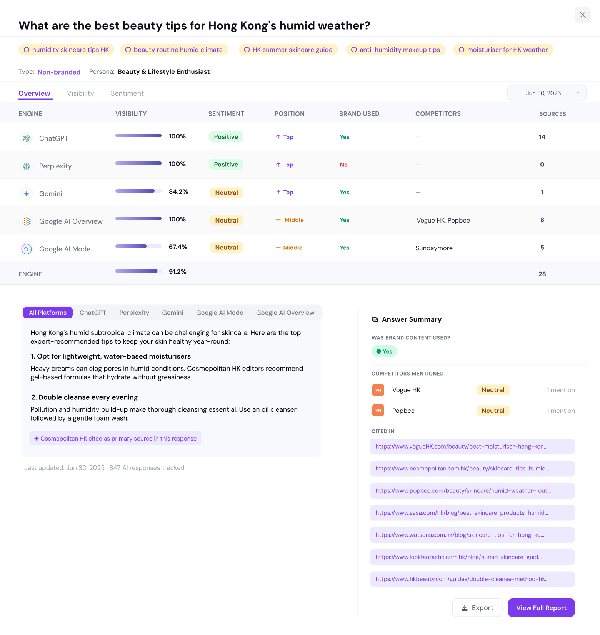
    Jessica Lam Hill Young
    Content Lead

    Jessica leads content at SEOPulse: product-led content, SEO strategy, AI citation strategy and thought leadership.